Over the past few months, we rebuilt the template editor at Knock. It's one of the most-used surfaces in the product, where our customers design the message templates they send to their users across email, SMS, push, and other channels.
Most of a template is fixed text, but some of it is personalized per recipient. For example, an order confirmation greets the customer by name and lists the orders they placed. Those variable pieces are written in Liquid, the templating language you might know from Shopify. Put {{ recipient.name }} in a template, and Liquid swaps in the real name when the message goes out.
Our old editor handled Liquid with CodeMirror, where you wrote the markup by hand in a text box with syntax highlighting. The new editor is built on Tiptap, a rich text editor framework, and works more like a document editor such as Notion, where you type your message and drop the dynamic values in as you go.
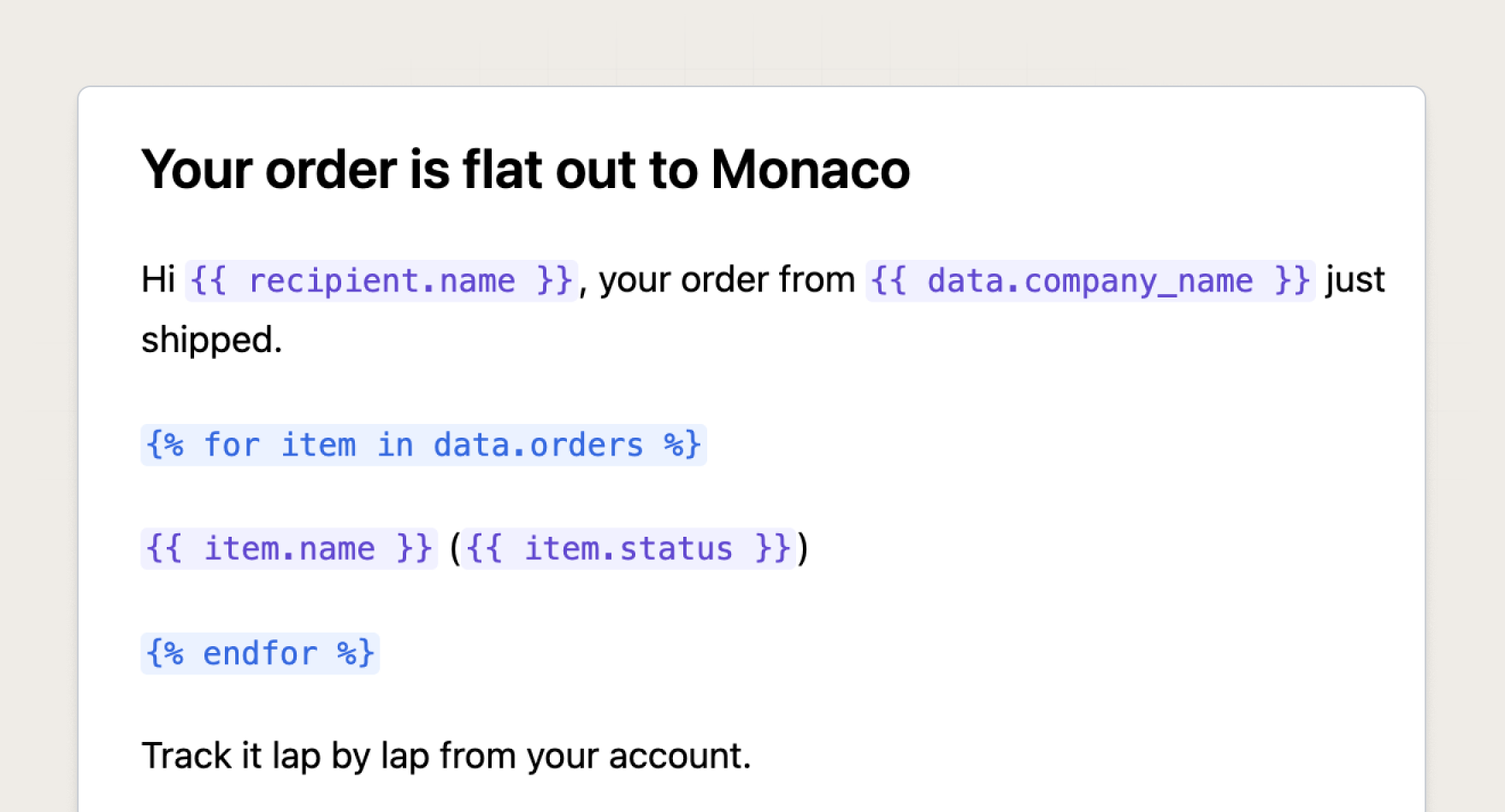
This post is about one part of that rebuild, the autocomplete for those Liquid values. Most of it was standard editor work, until we hit the case where the editor has to suggest a variable that exists in no schema, inside a document that won't parse, and that case turned out to be the hard part.
What autocomplete has to do
In the ordinary case, you type {{ in a template and the editor shows you what can go there, things like recipient.name, recipient.email, or data.orders. Keep typing recipient. and the list narrows to the fields on a recipient, and picking one drops it into the document.
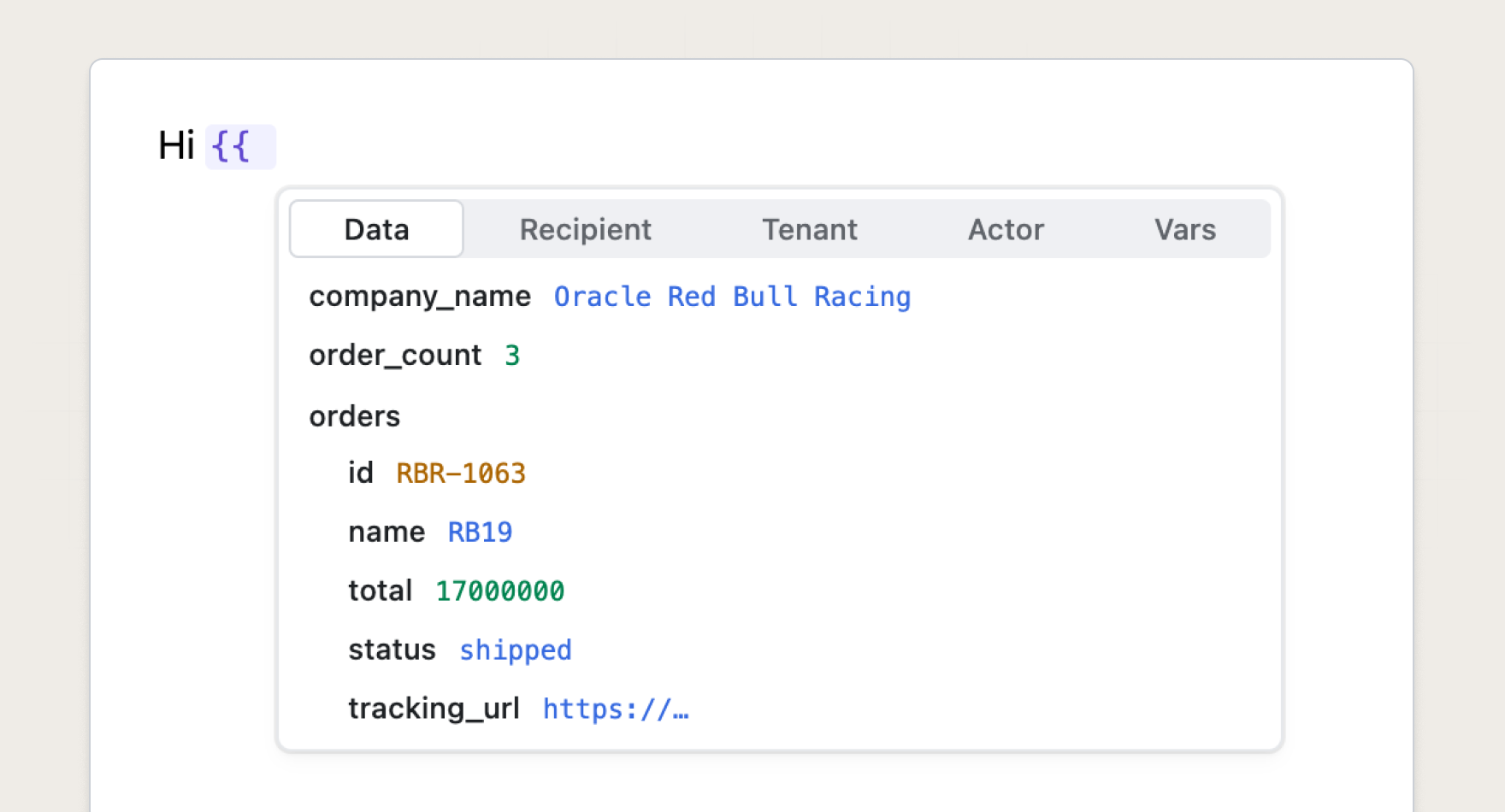
For that to work, the editor has to figure out the position of the cursor in the statement, because the right suggestion depends on where you are. Inside a {{ }} you're naming a variable, after a | you've moved on to filters like upcase or currency, and inside a {% render %} the suggestions are the names of the partials the account has set up.
Tiptap gives us the machinery for this in its suggestion utility, the same building block behind @-mentions and slash commands. It detects a trigger like {{, tracks what you type after it, and drives the popover. There's real work behind the menu, the matching, and the keyboard handling, but the shape underneath is what matters here. A trigger tells us where we are, and we answer with a list we already have, whether that's the variables from the event schema, the built-in filters, or the partials an account has defined. That is the model the whole feature runs on, and none of it needs to understand the document, because everything the suggestion depends on sits right at the cursor.
CodeMirror gave the old editor most of this for free, and matching the behavior in the new editor was the goal.
Where the known list runs out
Liquid is a full templating language, with loops and conditionals alongside the plain substitutions, and loops are where that model breaks down. Say the event you send carries a list of orders, and you want to render one line per order, so you write a for loop:
Hi {{ recipient.name }}, here are your recent orders:
{% for item in data.orders %}
  - {{ item.name }} ({{ item.total | currency }})
{% endfor %}
Between the {% for %} and the {% endfor %}, item stands for one order at a time, so typing {{ item. inside the loop should offer the fields on an order, item.id, item.total, and so on, which it does.
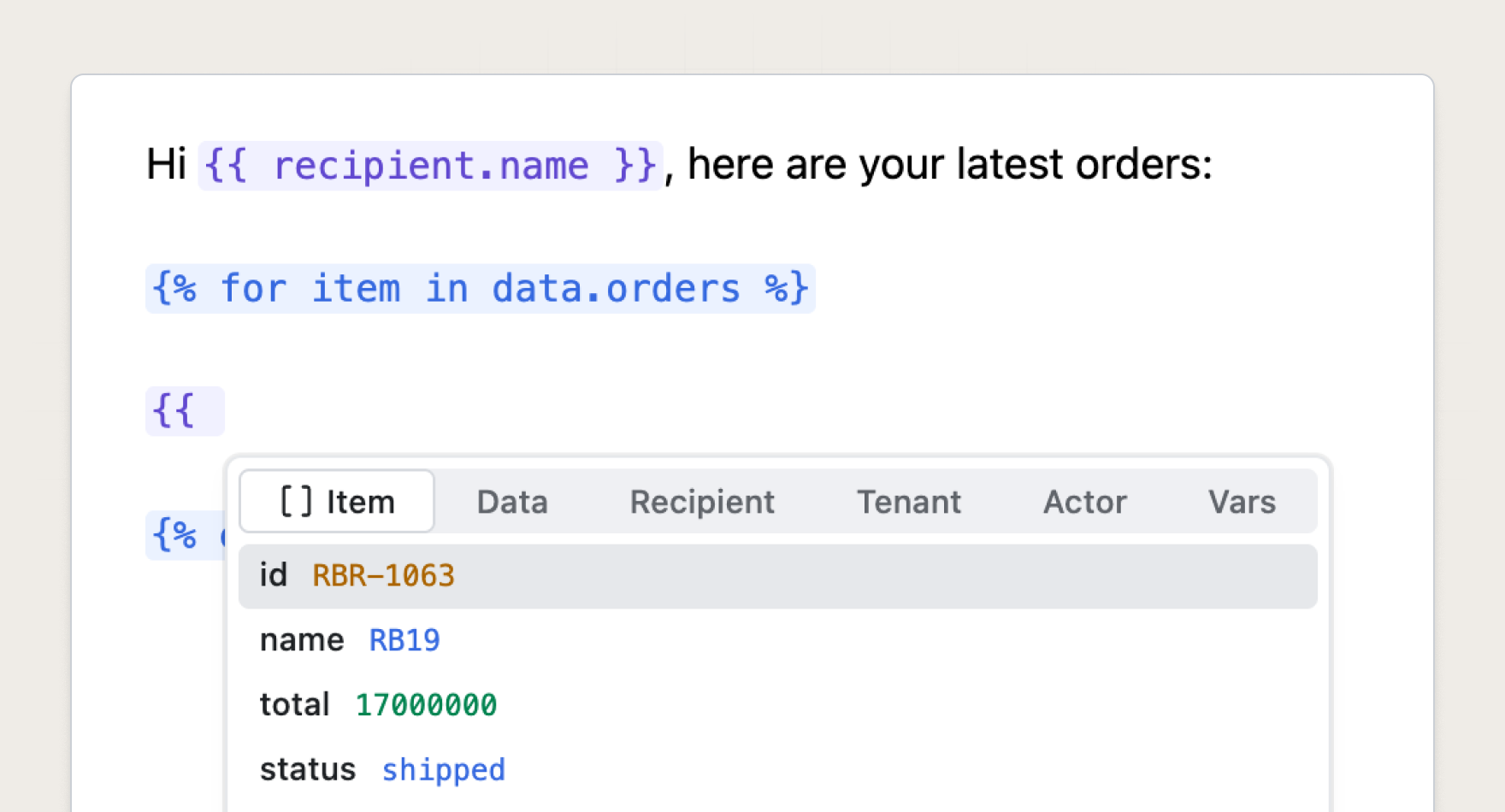
But item breaks both halves of the model. It isn't in any known list, since it's not in the event schema and it's not a filter or a partial. And the thing that gives it meaning, the {% for %} tag, isn't at the cursor either, since it's somewhere earlier in the document, maybe several lines up. The suggestion trigger only sees the cursor, so on its own it has nothing to offer. To suggest an order's fields, the editor has to look past the cursor, find the loop it's inside, and work out that item stands for an element of data.orders.
Why Tiptap can't find the loop
Reading the loop around the cursor sounds simple, and in the old editor it was. As you type, CodeMirror parses the Liquid into a tree that mirrors the structure of the source and keeps it around. To find the loop, it walked up that tree to the enclosing for node and read the variable and collection off it. The parse was already done, so the answer was there for the asking.
The new editor has none of that, because Tiptap is built on ProseMirror, which models a document as a tree of rich text nodes (paragraphs, headings, images) and doesn't parse Liquid at all. To it, {% for item in data.orders %} is a run of plain text that happens to sit in a paragraph, and the loop it opens might stretch across that paragraph, a few bullets, and another paragraph below. There's no for node to walk up to, because as far as the editor knows there's no for tag, only text.
So when the cursor lands on {{ item., we have far less to work with than CodeMirror did. All we have is the cursor's position in the document tree. Whatever the old editor read off its structure, we now have to reconstruct.
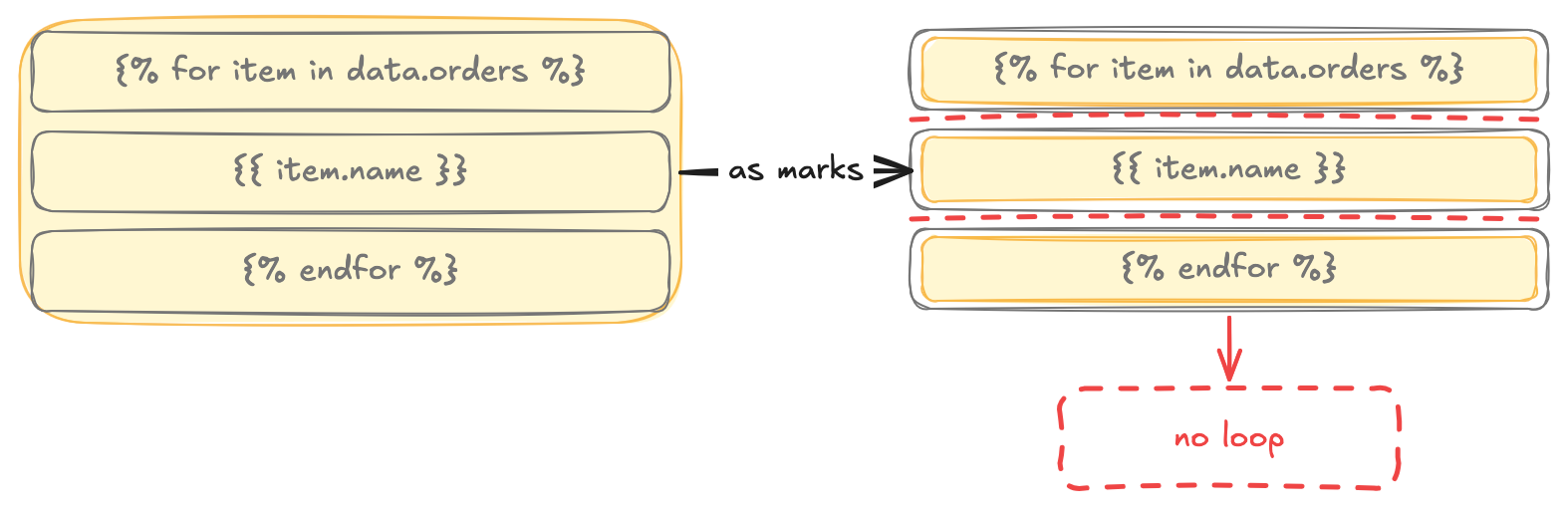
Our first attempt was to tag every stretch of Liquid with a ProseMirror mark, the same mechanism Tiptap uses for bold and links, and then walk those marks to rebuild the loop, but it didn't hold up. A mark lives inside a single block the way bold lives inside its paragraph, and a loop doesn't respect that boundary. Open a {% for %} in one paragraph and close it three blocks later, and no single mark can cover the loop, so we stored a fragment per block plus the bookkeeping to remember they belonged together.
Marks also move with edits in ways Liquid doesn't. Split a paragraph mid-loop or paste half of one somewhere else, and the fragments multiply, or land somewhere new still claiming there's a loop around them. Each of those cases needed code to put the marks back in line, which meant maintaining a second copy of something the text already told us, and the copy kept drifting. We dropped it and looked for something simpler.
Parsing on demand
So we stopped trying to keep the Liquid parsed inside the editor. CodeMirror kept a live tree of it, and our marks attempt was chasing the same thing, a data structure alongside the document that mirrors the Liquid and updates on every keystroke. When we need to answer a question about scope now, we work it out from scratch. We flatten the document into the Liquid string it represents, hand that string to a real Liquid parser, take what we need, and drop the result.
Flattening is one call, because ProseMirror already knows how to serialize a slice of the document to text:
// Flatten the document into one Liquid source string. Paragraph boundaries
// become spaces, so character offsets line up with editor positions.
const extractLiquidDocString = (doc) =>
  doc.textBetween(0, doc.content.size, " ");

// Map a ProseMirror position to a character offset in that string.
const pmPosToCharOffset = (doc, pmPos) =>
  doc.textBetween(0, pmPos, " ").length;
Those two helpers are the whole bridge. The first flattens the document into a string like "Hi {{ recipient.name }} ... {% for item in data.orders %} ...". The second takes a cursor position in the node tree and gives back its offset in that same string. Once we're working with a string and integer offsets, we can parse the Liquid like normal.
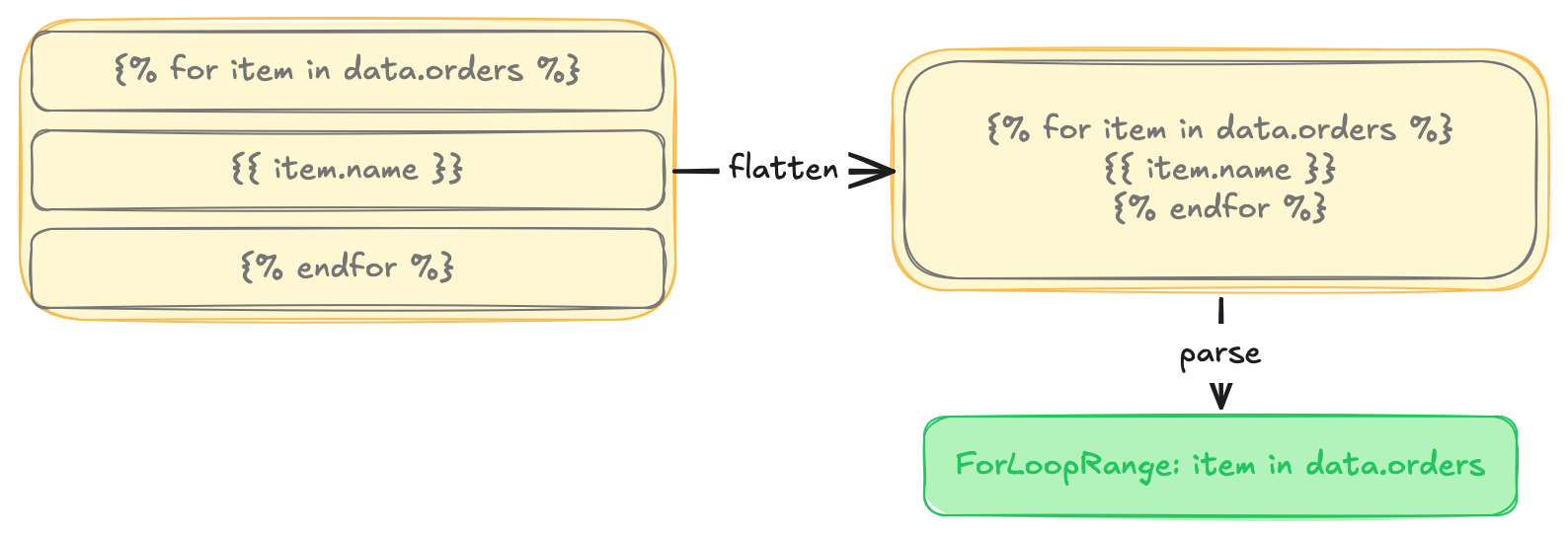
We don't need everything the parser gives back, though. For autocomplete, the only thing that matters is where each loop's scope begins and ends, so we reduce it to a list of ranges, one per loop:
type ForLoopRange = {
  variable: string;    // "item"
  collection: string;  // "data.orders"
  from: number;        // char offset of "{% for %}"
  to: number;          // char offset just past "{% endfor %}"
};
With those ranges in hand, finding which loop the cursor is inside is a cheap filter we can run on every keystroke:
const findForLoopScopes = ({ ranges, cursorPosition }) =>
  ranges
    .filter((r) => r.from < cursorPosition && cursorPosition <= r.to)
    .sort((a, b) => a.from - b.from) // outermost first
    .map(({ variable, collection }) => ({ variable, collection }));
The filter returns a list because loops can nest. Put one {% for %} inside another and the cursor sits inside both at once, so each enclosing loop contributes its own variable, ordered outermost first.
We already have a full list of completions for the real data, the same one the ordinary case uses (data.orders, data.orders.id, data.orders.total, and so on). Being inside {% for item in data.orders %} means everything under data.orders is reachable as item until the loop closes, so we take the completions we have and rewrite them under the loop variable's name:
// "data.orders.id" becomes "item.id"
if (label.startsWith(`${collection}.`)) {
  const rest = label.slice(collection.length + 1);
  const remapped = `${variable}.${rest}`;
  return { ...c, label: remapped, apply: remapped, source: "forLoop" };
}
End to end, the path from document to suggestions looks like this:
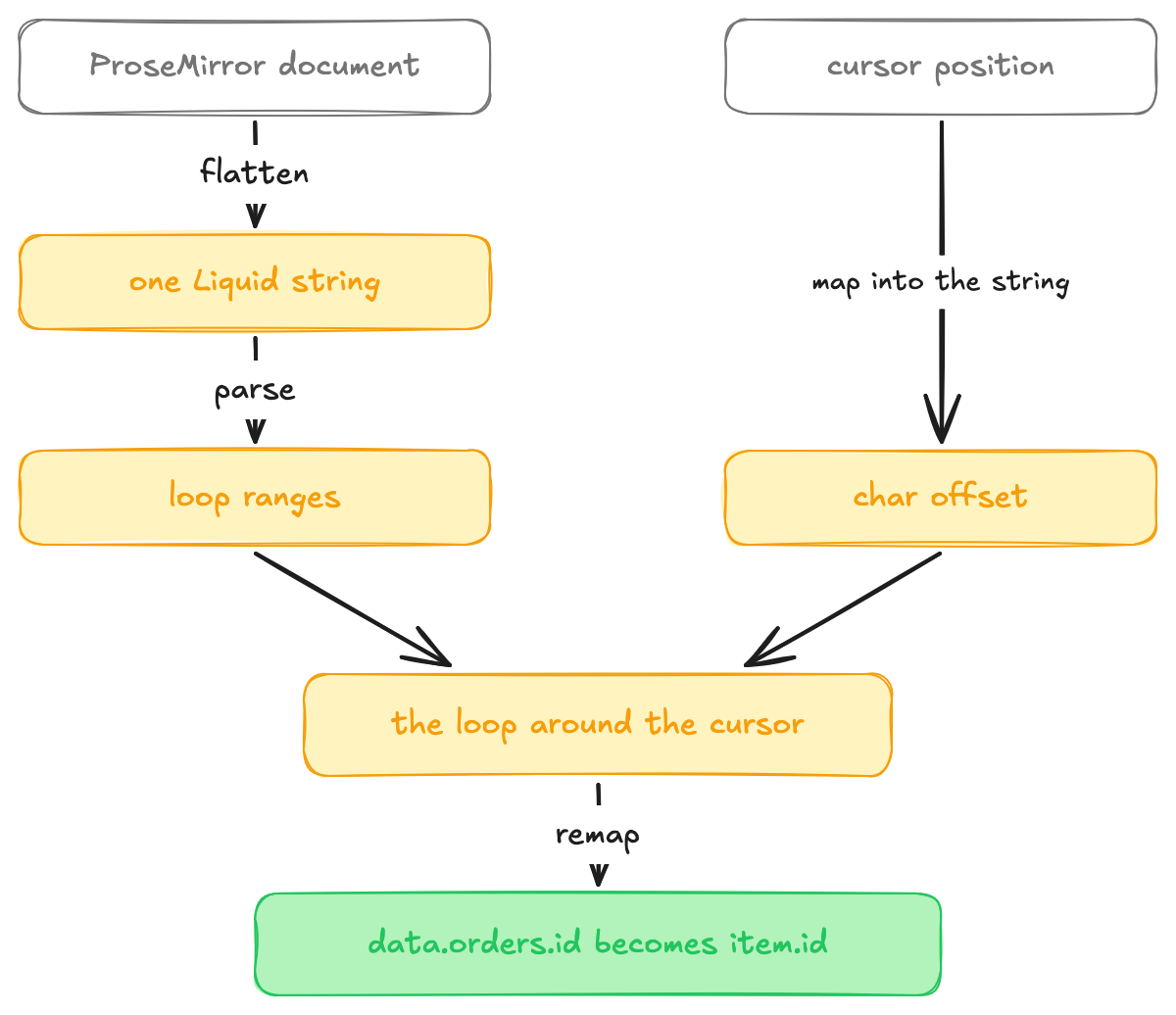
The same approach covers {% assign %} and {% capture %} too, where an author defines a variable partway through the template. Those have their own scope rules, and they run through the same flatten, parse, and remap steps.
Reducing the parsing cost
Flattening and parsing the whole document sounds expensive to do while someone is typing, and on every keystroke it would be, so a few things keep it off that path.
The cheapest check happens before we involve the Liquid engine at all. We scan the flattened string for the tags a feature depends on, and if for and endfor aren't in it, the for-loop resolver returns nothing without parsing. A template with no loops never pays for loop analysis.
When there is something to parse, we do it once per change and share the result. The for-loop scopes, the assign and capture variables, the if blocks, and the syntax highlighting all read from a single analysis of the flattened string instead of each one tokenizing it again. That analysis is cached and keyed on the flattened string, so it only re-runs when the document text actually changes. Moving the cursor through an open menu is the common case while you're browsing completions, and it reuses the ranges from the last parse and runs only the cheap filter that finds the loop around the cursor.
The autocomplete rules split the work finer still. Each one declares whether it depends on the document or on the cursor, so a keystroke re-runs the document rules and leaves the cursor rules on their cached answer, and an arrow key does the reverse, so neither redoes the other's work.
When the Liquid won't parse
Everything so far assumes we can parse the document, and inside a live editor, the reality is that most of the time we can't.
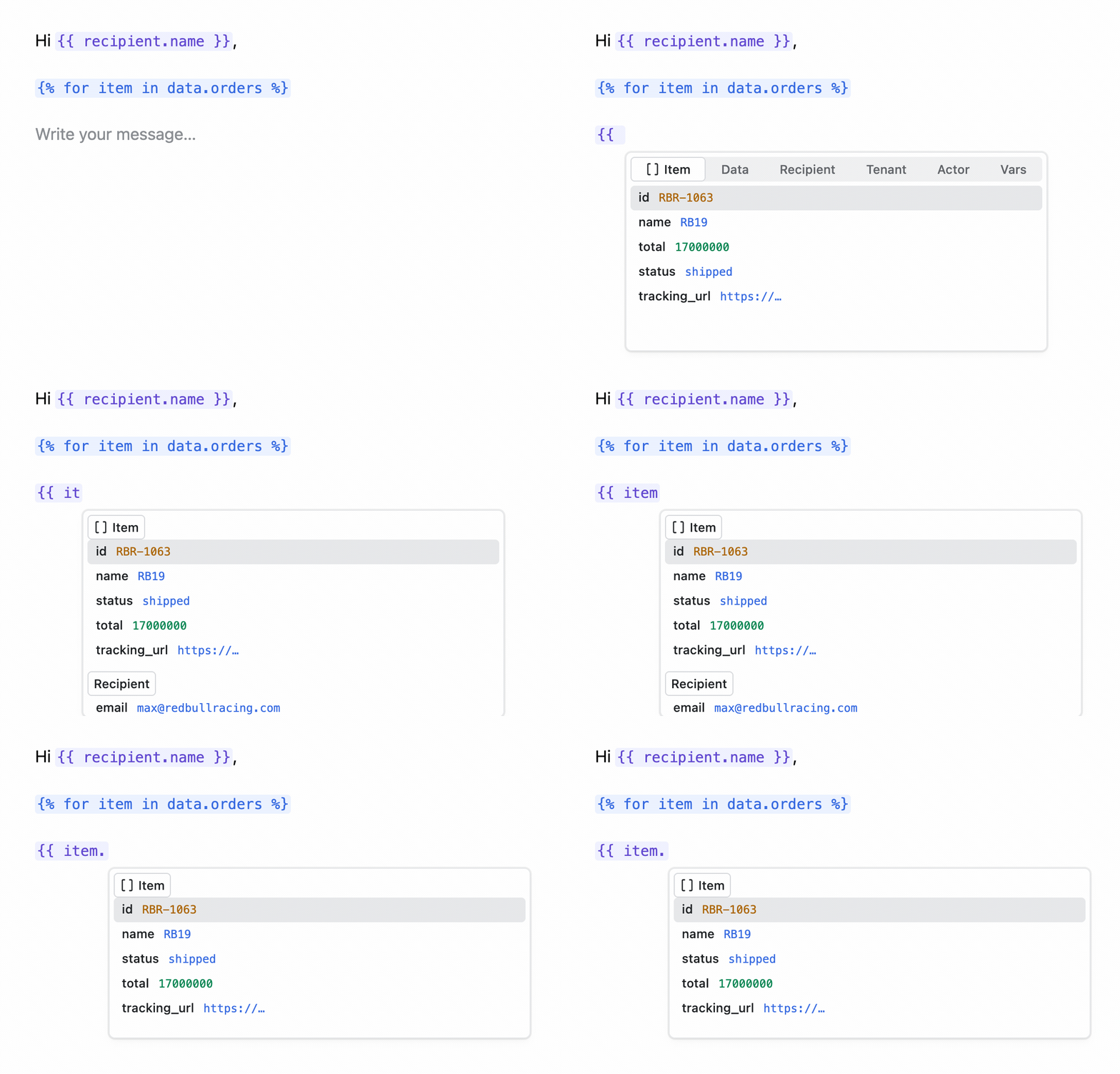
Think about what it takes to type {% for item in data.orders %}. You pass through {, then {%, then {% f, and a dozen more states, none of which are valid Liquid. The timing works against you, too, because the moment you most want item to autocomplete is right after you finish the opening tag, before you've typed the matching {% endfor %}. Hand that to the parser and it does what a batch renderer should do, which is throw, because the loop is unclosed.
A renderer can stop there and report the error, but an editor can't. People writing templates live in these half-finished states, and autocomplete has to keep working through them. So when the real parse throws, we fall back to a looser regex scan that pairs up for and endfor tags in order and, for any for without a matching endfor, treats the loop as running to the end of the document. The parse throwing isn't a problem in itself, since we get the failure back as a value we can check, and it never crashes the editor.
That fallback is why the feature works while you type. A loop you haven't closed yet still wraps your cursor as far as scope goes, so item resolves and the suggestions show up mid-keystroke. Closing the loop first, before the editor would help you, is backwards from how anyone writes one.
We created a thorough test suite that captures these more awkward inputs, the loops with limit and reversed parameters, the arrays that arrive already indexed as data.orders[0], and the half-open tags you pass through on the way to a closed one. That suite is what gives us the confidence to keep reworking the parsing code without degrading how the editor feels to type in.
What we took from it
Using this approach, we've been able to ship a new autocomplete experience in our reworked template editor that matches the behavior of our old editor, loops included. That meant flattening the document into a plain Liquid string whenever we need scope information, parsing that string with a real parser, and using the result to find the loop around the cursor. We stopped maintaining our own copy of the Liquid's structure and leaned on a parser that already exists.
The other lesson was about the broken states. A Liquid document is almost never valid while someone is typing it, and the small fallback that keeps autocomplete working through those half-finished moments is what makes the feature usable, because in an editor the half-typed case is the main case.