Today we're launching model selection in the Knock agent. You can now choose which model you want to run, or use our new auto mode to let Knock pick the best model for each request.
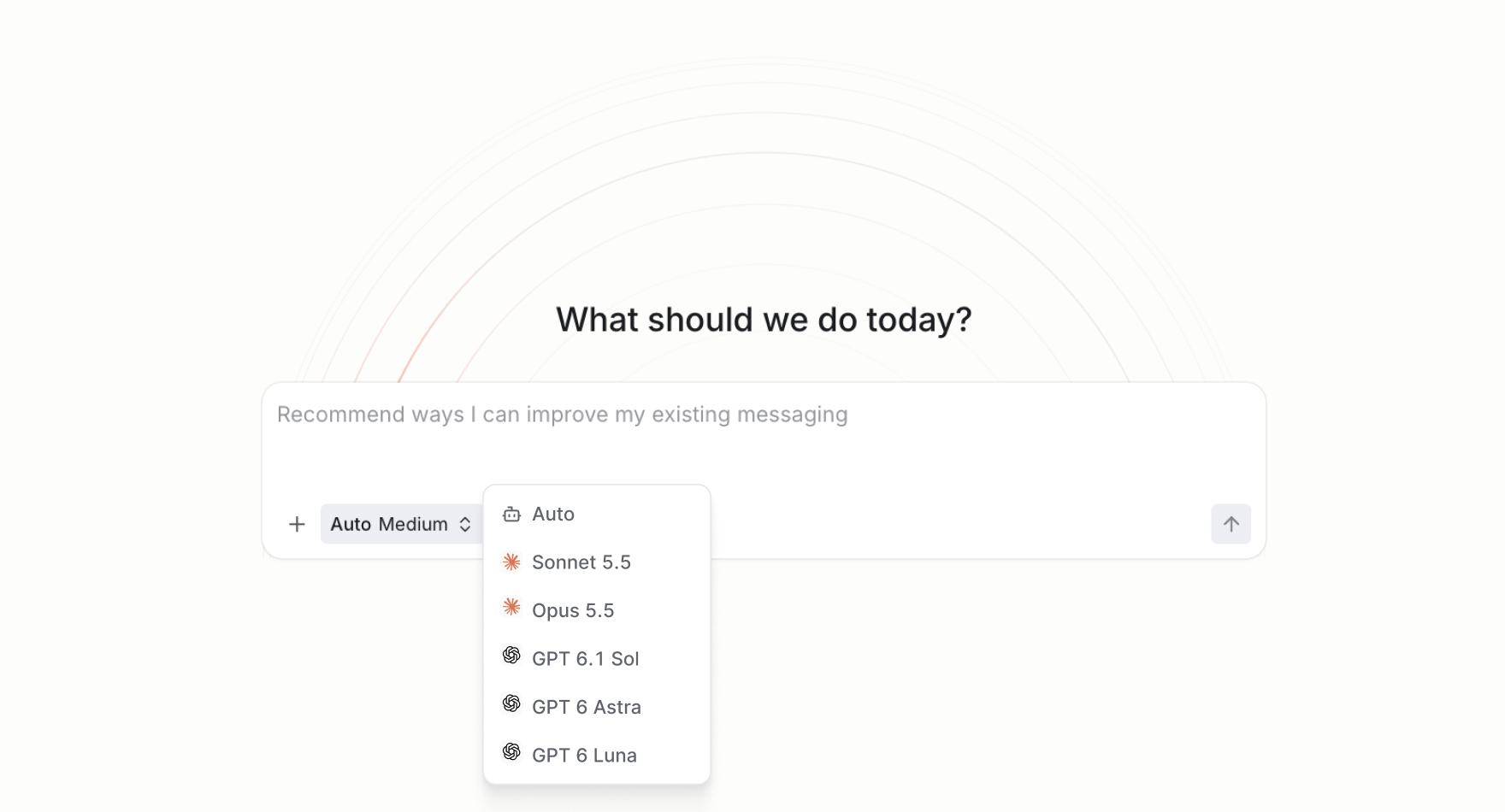
Choose your model
The Knock agent builds campaigns, drafts messaging, creates audiences, and updates lifecycle workflows using the context in your Knock account. Until now, every request ran on a single Anthropic model.
With model selection, the agent can connect to additional AI models from different providers through our AI gateway. The agent keeps the same tools, skills, and account context no matter which model you pick, so the work it produces still lands as real resources your team can review, edit, and send.
The AI gateway also gives us a consistent way to evaluate and compare agent behavior across providers. We test each model against the same Knock tasks before we make it available, so you get the benefit of new models without giving up reliability.
Auto mode
Not sure which model fits the job? Auto mode picks the best model for your request.
A quick copy edit has different needs than creating a complex, multi-step lifecycle campaign. Auto mode looks at what you're asking the agent to do and routes the request to the model best suited for it, so you get fast responses on simple tasks and stronger reasoning on complex ones without switching models yourself.
Get started
Model selection is available today for all Knock customers. Open the Knock agent to choose your preferred model. Learn more about the Knock agent in our documentation.