Today we're launching input schemas for reusable requests. Engineering teams can now define the exact data a reusable request expects, including required fields and input structure.
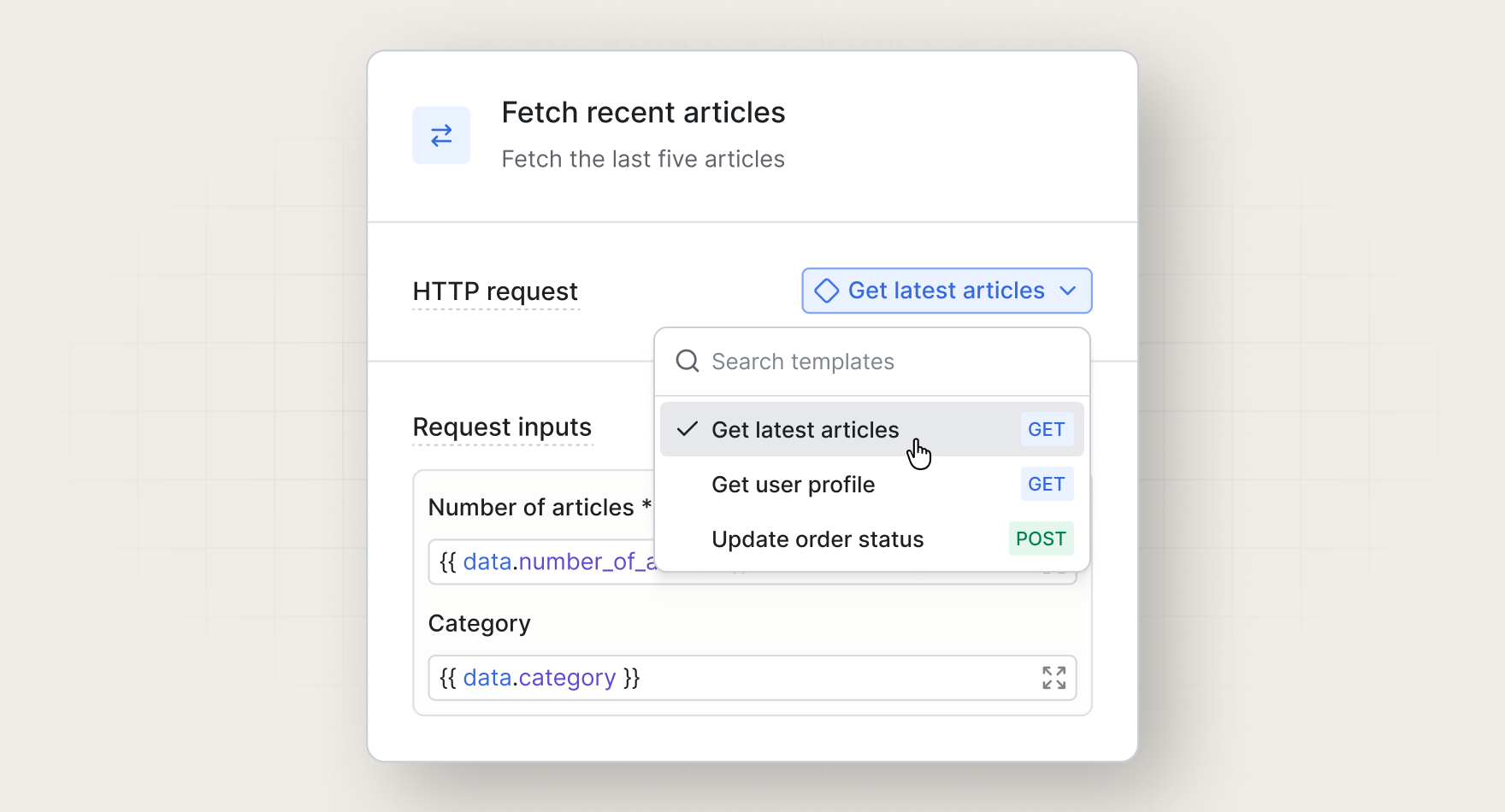
Before this release, reusable requests provided a template, but teams still needed to know which variable names were expected and which fields were required. With input schemas, teams that add a reusable step to a workflow can see the required payload and map the right workflow data into it.
Define reusable request inputs
For example, a reusable request like "Get latest articles" may need data like this:
{
  "number_of_articles": 3,
  "category": "product updates",
  "user_id": "user_123"
}
With input schemas, engineering teams can define that required structure once:
{
  "properties": {
    "number_of_articles": { "type": "number" },
    "category": { "type": "string" },
    "user_id": { "type": "string" }
  }
}
When someone adds that reusable request into a workflow, Knock shows them exactly what data to pass through.
This makes reusable steps more flexible and helps teams standardize workflow logic without rebuilding the same request again and again.
Map workflow data with less guesswork
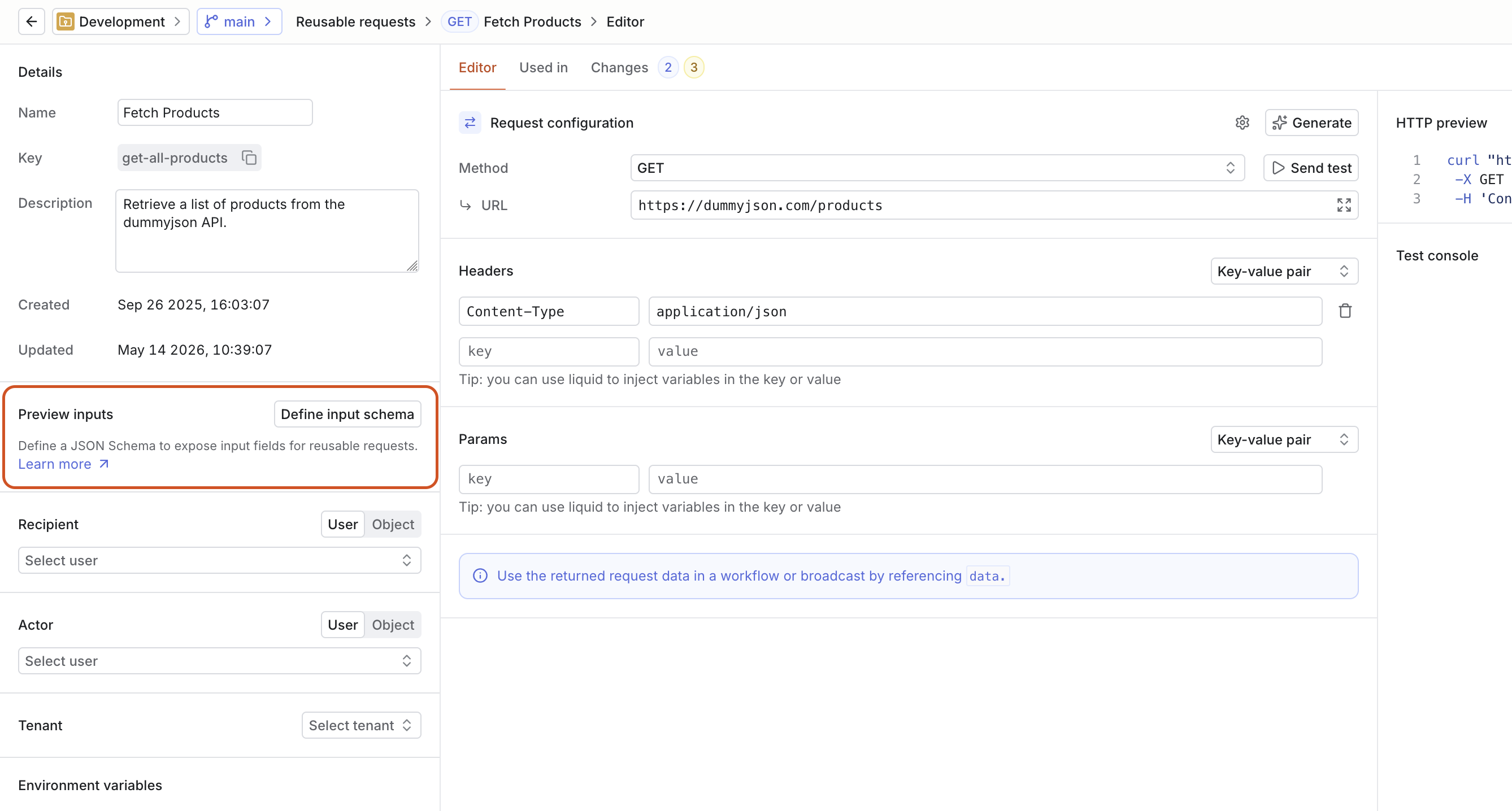
To start using input schemas, open a reusable request and define the inputs it should expect. Add each field, choose its type, and mark any required fields so other teams know what data the request needs before they use it in a workflow.
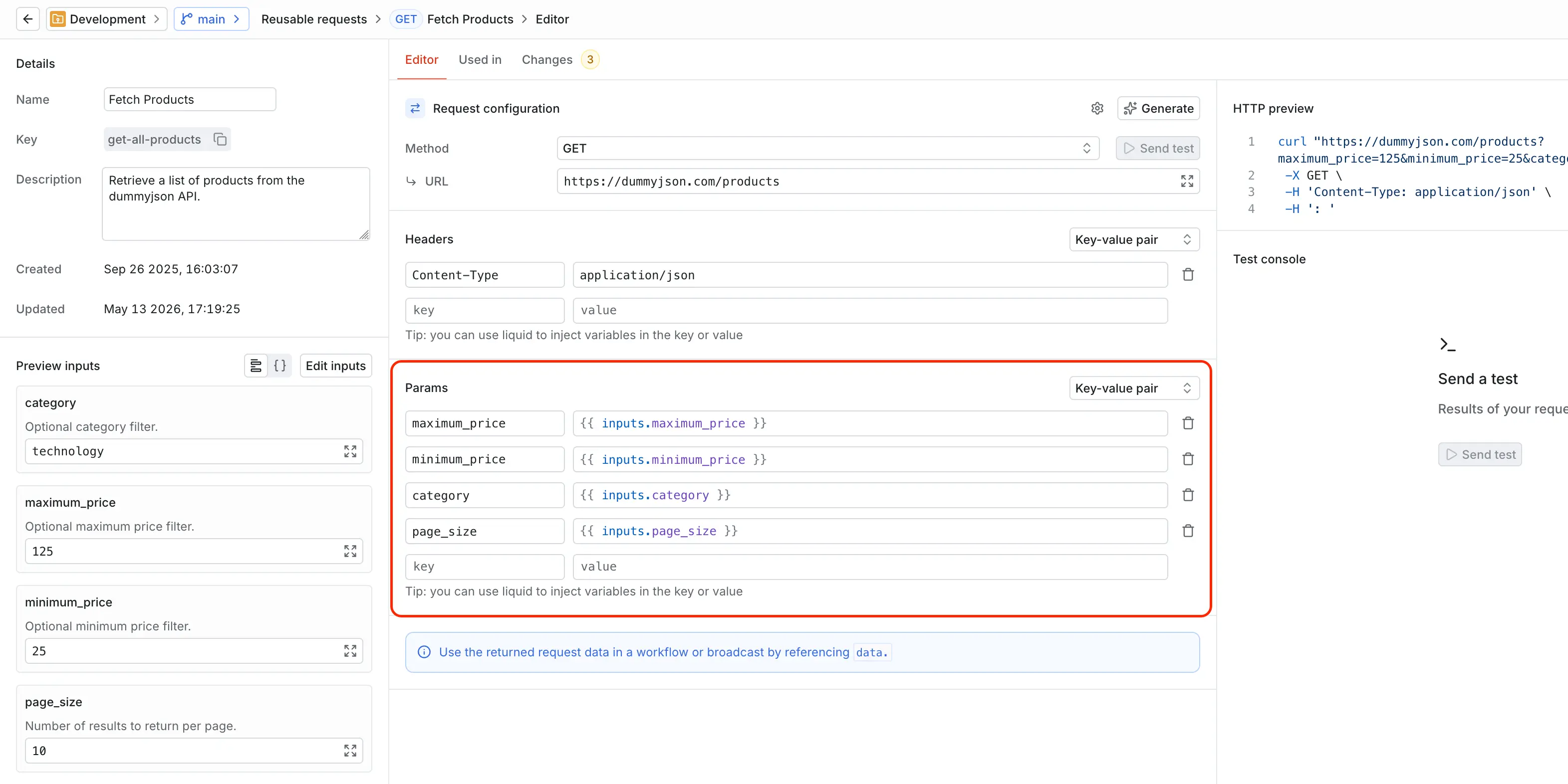
Those mapped inputs are available as parameters in the reusable request template. Reference them in the request URL, headers, or body to keep the request configuration reusable while each workflow passes in its own values.
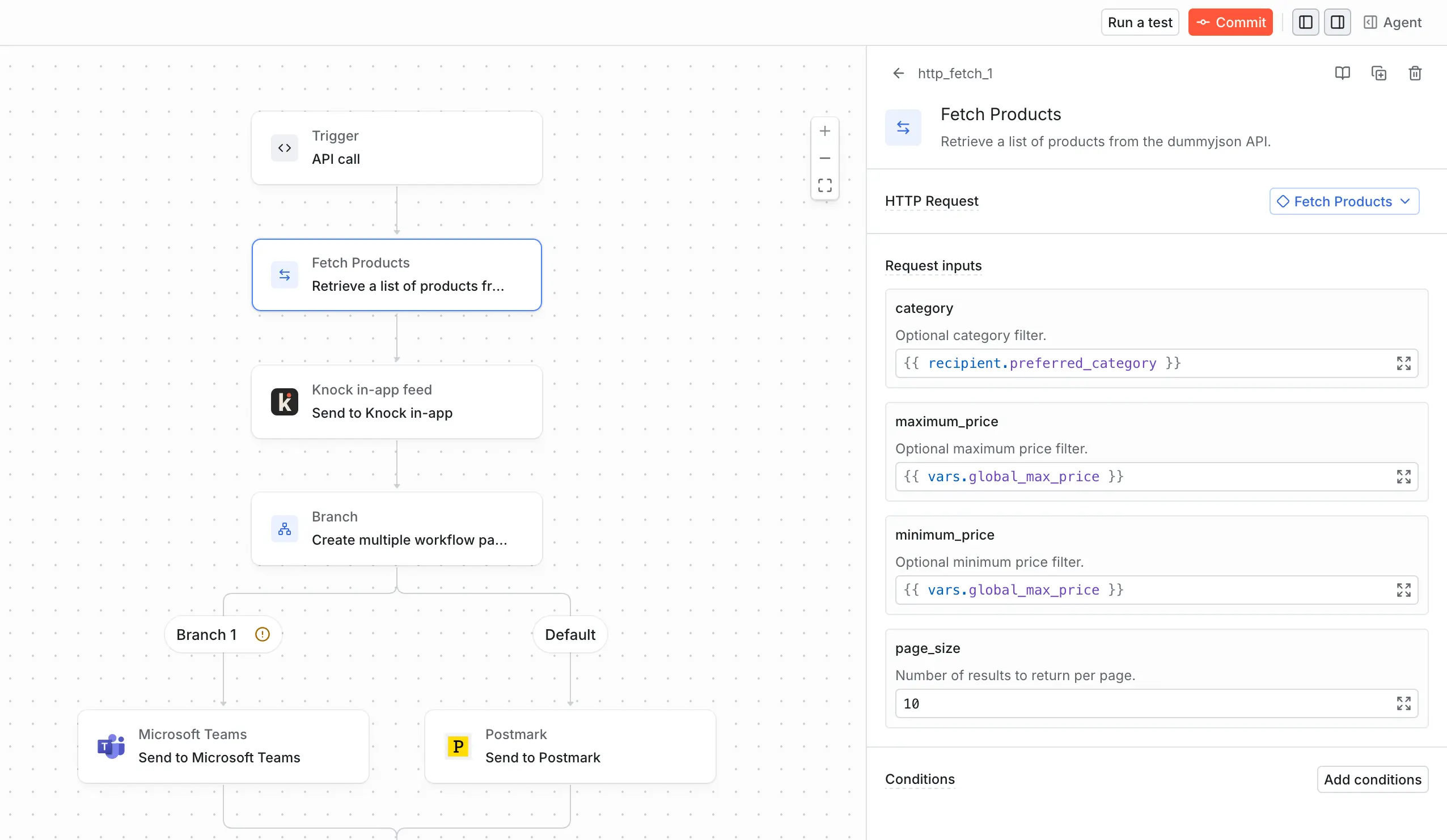
Once the schema is defined, add the reusable request to a workflow. Knock shows the required inputs in the fetch step, so the person building the workflow can see what data they need to provide.
Get started
Input schemas for reusable requests are available today for all Knock customers. Learn more in our documentation.