Today we’re excited to announce the general availability of dynamic audiences.
For the past few months, we've seen beta customers build dynamic audiences and use them to trigger workflows, target broadcasts and guides, and create exclusion lists, all without needing to wrangle data themselves.
While dynamic audiences are a familiar concept across customer engagement solutions, we built Knock's version to go further than most. Here's how.
Create real-time user segments
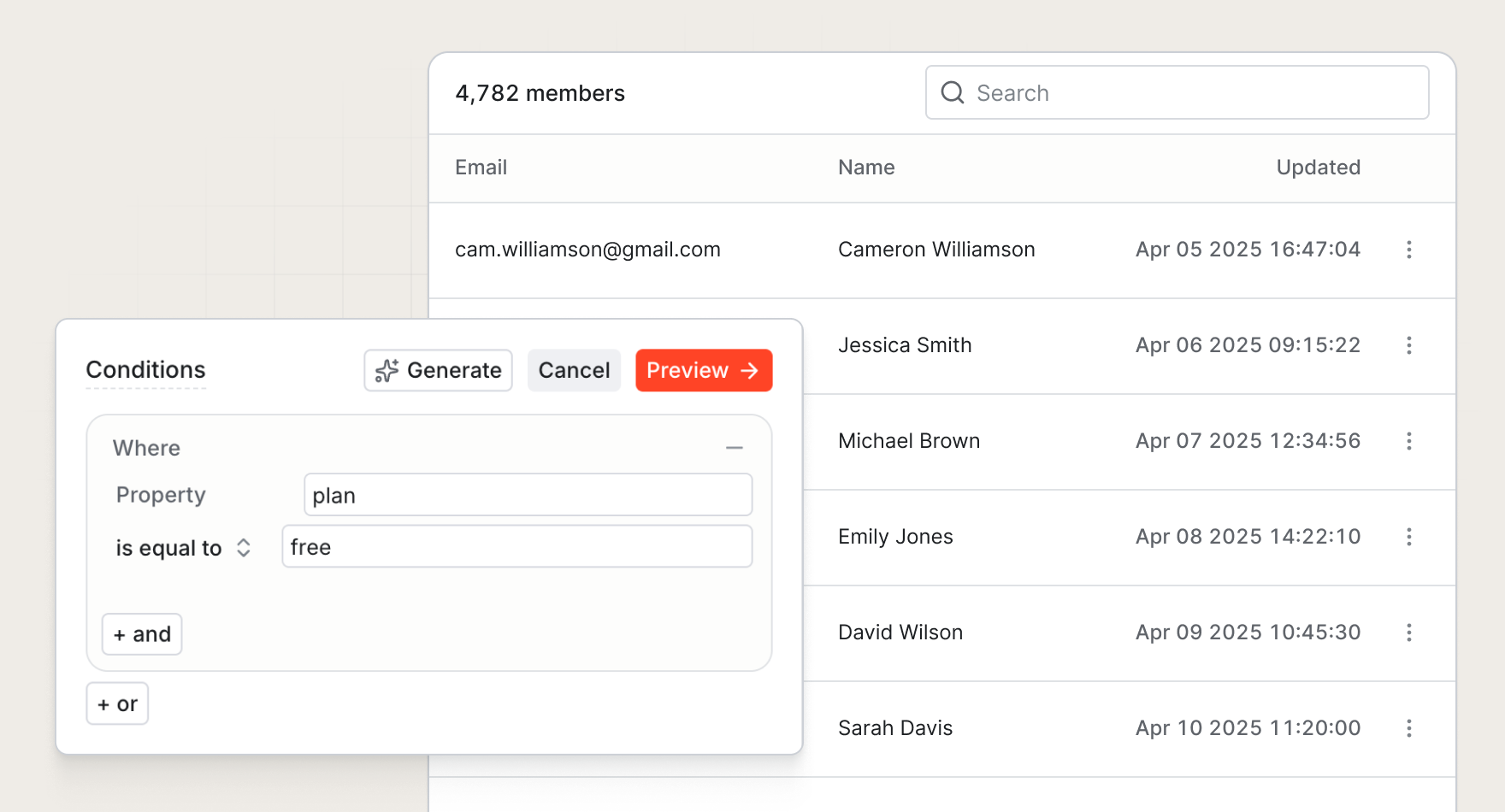
Dynamic audiences allow you to query user properties to create segments of users that update in real time.
Reference properties like plan_tier to build a list of paying users, signup_date to check the number of signups over the last 90 days, or last_active_timestamp to build a target audience for a re-engagement campaign.
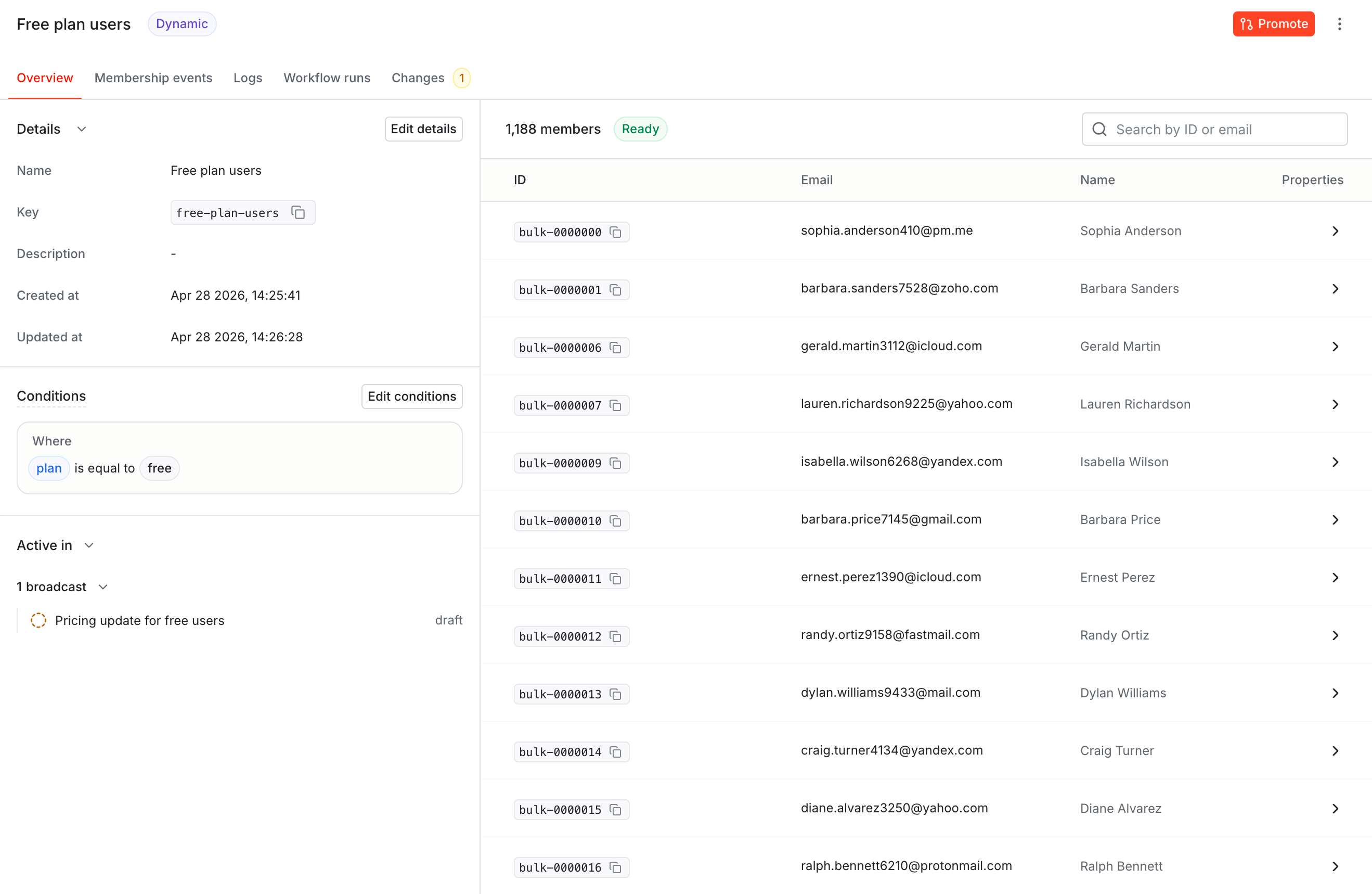
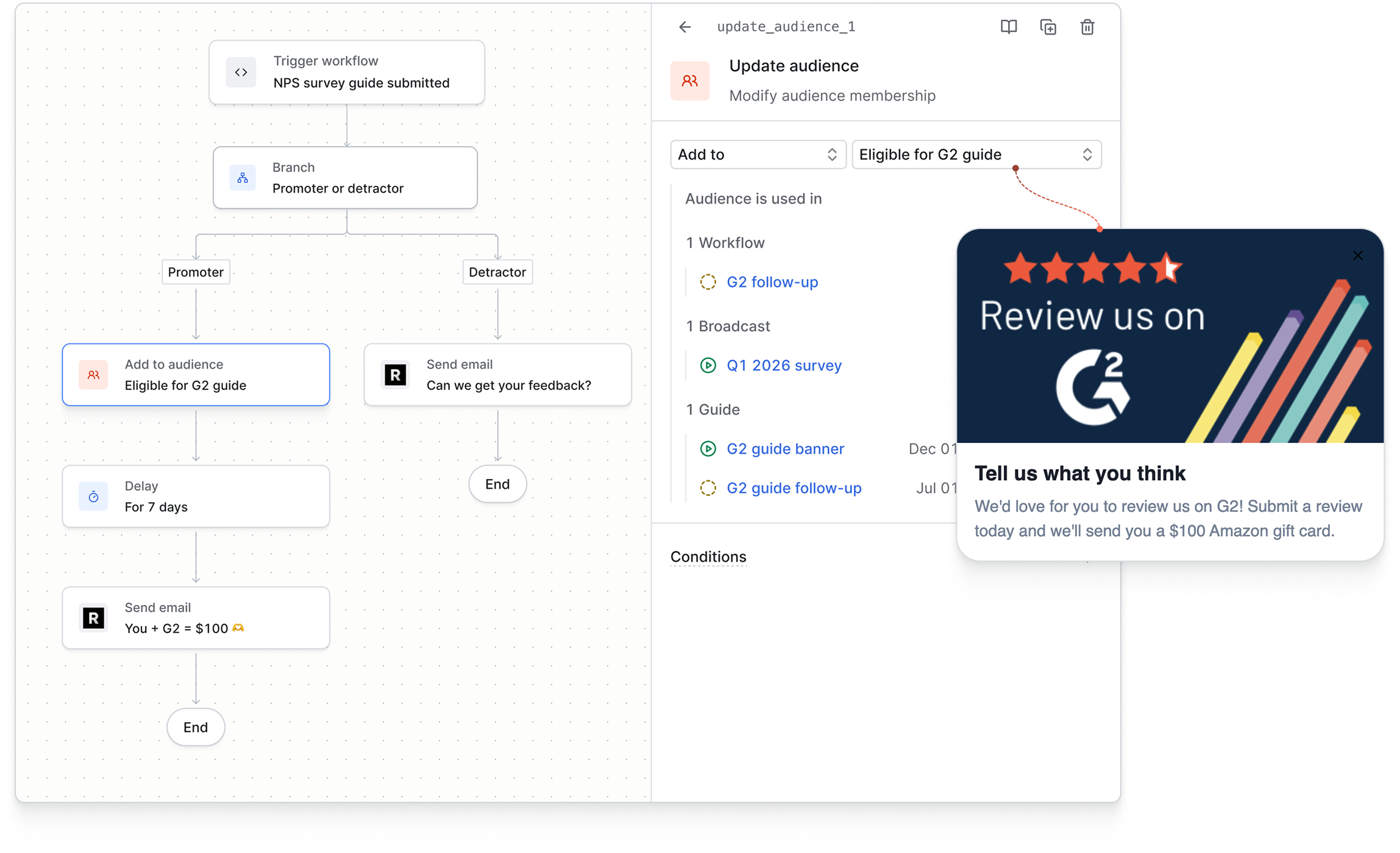
As your data changes, users will enter or exit dynamic audiences based on their eligibility. Each entrance or exit is recorded as a membership event, which you can use to trigger workflows. No cron job, webhook, or hand-rolled event handler required.
You can use membership status to trigger guides, target broadcasts, or as part of true-false conditions.
Audiences with version control
Most customer engagement platforms have some version of dynamic audiences, but they don't have a way to verify or preview audience changes before you make updates.
When you have a highly-automated messaging system, this can cause large-scale mistakes that are hard to fix retroactively.
With Knock dynamic audiences, we planned for this.
Dynamic audiences are versioned and promoted between environments, the same way you'd promote any other Knock resource. You draft a change in development, preview it against live user data, and promote it to production only when you're sure it does what you think it does. Membership is evaluated in real time once changes are promoted, not before.
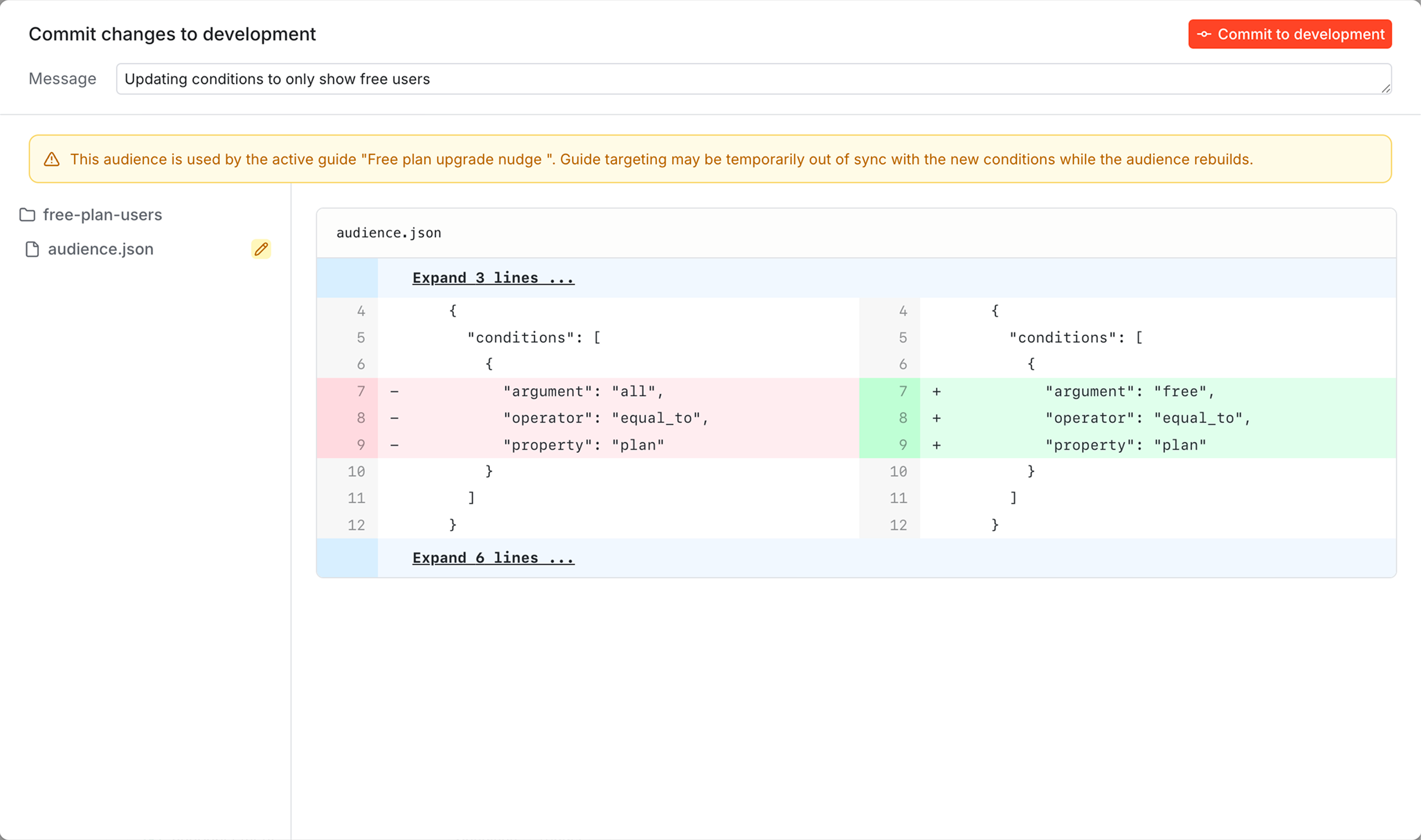
This matters because small changes to an audience that triggers actual workflows can have real consequences. Editing a simple condition (i.e. flipping an operator or adjusting a threshold) can mistakenly push thousands of users into a sequence you didn't mean to run.
Versioning makes it easy to test changes and reduce mistakes. No more audience targeting held together with tape and glue.
Build audiences with AI
Instead of building lists manually, you can now describe the audience you want and let AI generate the conditions for you.
From the dashboard. While building a dynamic audience, use the "Generate" button turn a natural-language prompt into audience filters. This is useful for when you know the audience you want but don't want to search for and build each condition from scratch.
With Knock agent. Use the Knock agent in the dashboard to create or refine an audience with a prompt. Turn an idea like "active free users who signed up this quarter" into a reviewable dynamic audience using the data available in Knock.
From your AI editor. Point your favorite coding agent at the Knock MCP server to create, edit, and update audiences from your IDE, then use the Knock CLI to pull, review, and promote those changes across environments. Good for bulk edits, refactors, and the kind of tedious segmentation work you'd otherwise put off.
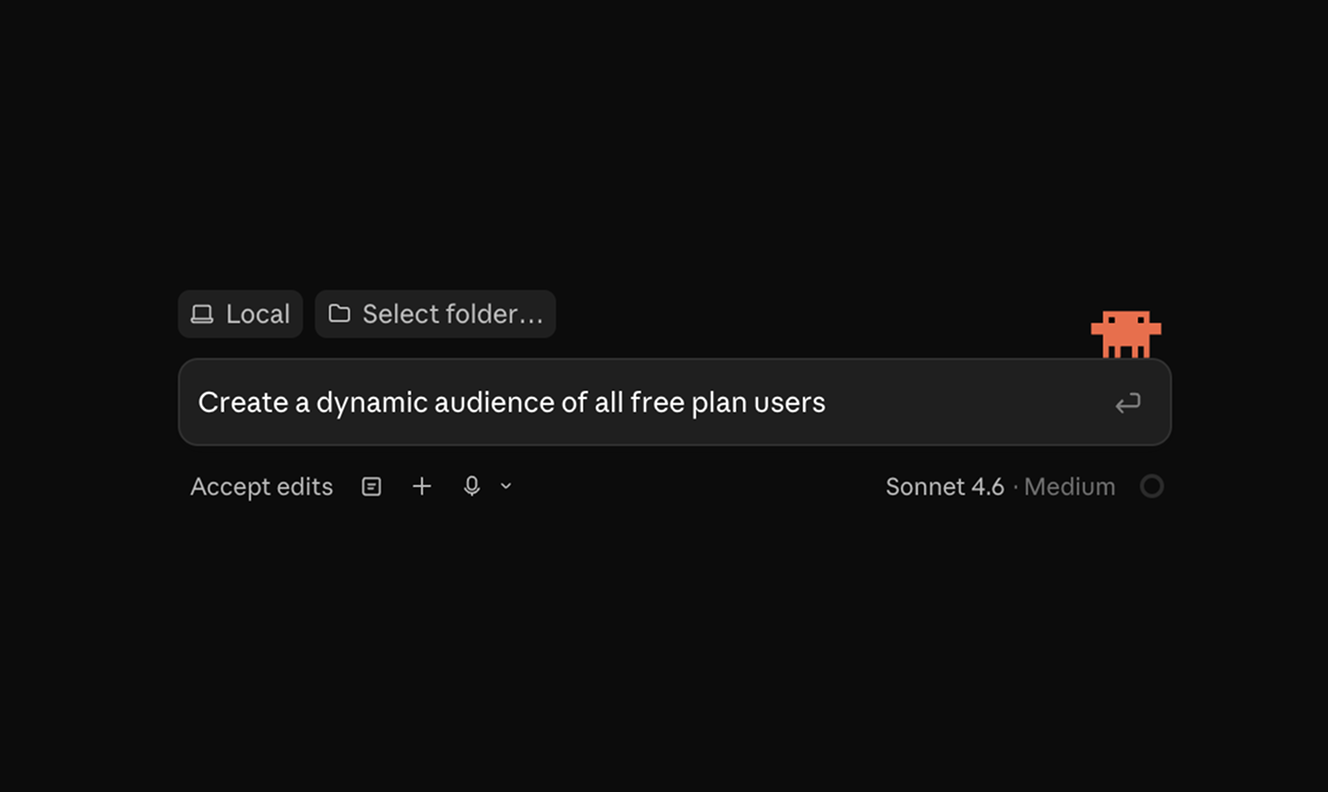
All three approaches produce the same versioned resource. Start with a prompt, review the generated audience, and promote it when you're sure it targets the right users.
Get started
Dynamic audiences officially bring user segmentation to Knock. Everything works the way you'd expect, with real-time evaluation, membership events, environment promotion, full API coverage, and first-class integration with workflows.
Dynamic audiences is available for all customers today. Open Audiences in the Knock dashboard and click "Create audience" to try it out. Learn more in our documentation.