Today we're releasing data sources. With Knock data sources, in a few clicks you can connect events from any tool to your messaging infrastructure, no code required.
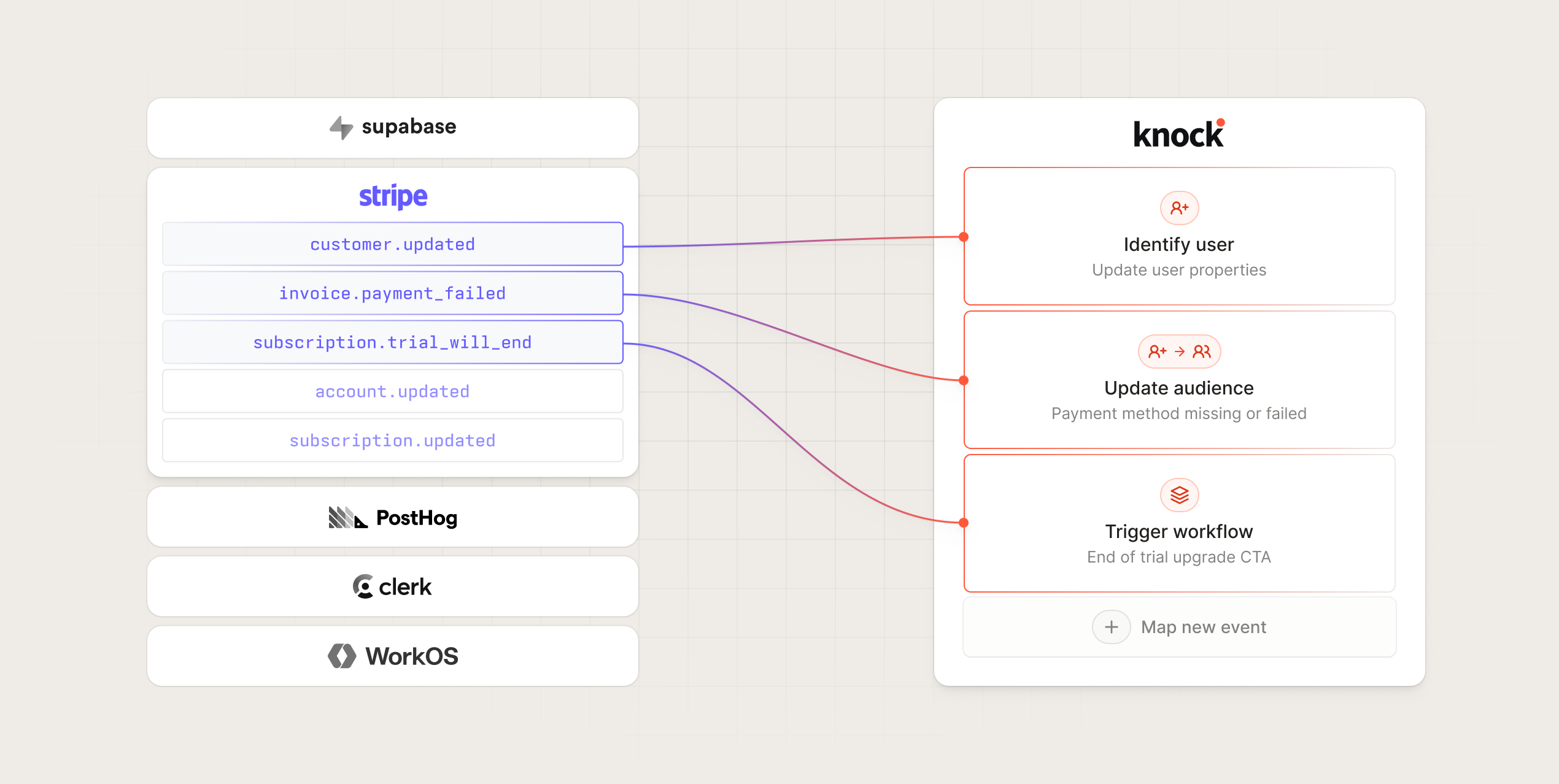
Now, when events occur in your other tools, like a new user in Clerk or a payment in Stripe, you can send that event data to Knock to create users, trigger workflows, and update audiences. Knock ingests, verifies, and transforms the event data for you to take action on.
Unlike other messaging tools that limit integrations to a few events from supported services or only accept data in a particular format, Knock data sources enable you to integrate with any source event.
No more custom integrations to transform data. No in-house verification layer. Just send your events to Knock and map them to the action you want to trigger in a few clicks.
Pre-built sources
Today we're shipping five pre-configured data sources: Stripe, Supabase, PostHog, Clerk, and WorkOS.
For each of these pre-built sources, we've already handled their verification schemes and created pre-configured action mappings so you can get them set up with a few clicks. Here's what's possible with each one.
Stripe
Stripe connects payment-related events to actions in Knock. For example:
- Sync Stripe customer data in your system when
customer.createdevents happen. - Trigger a feature-based drip campaign when a user creates a paid subscription with a
customer.subscription.createevent. - Execute a win-back campaign when a
customer.subscription.cancelledevent occurs.
Supabase
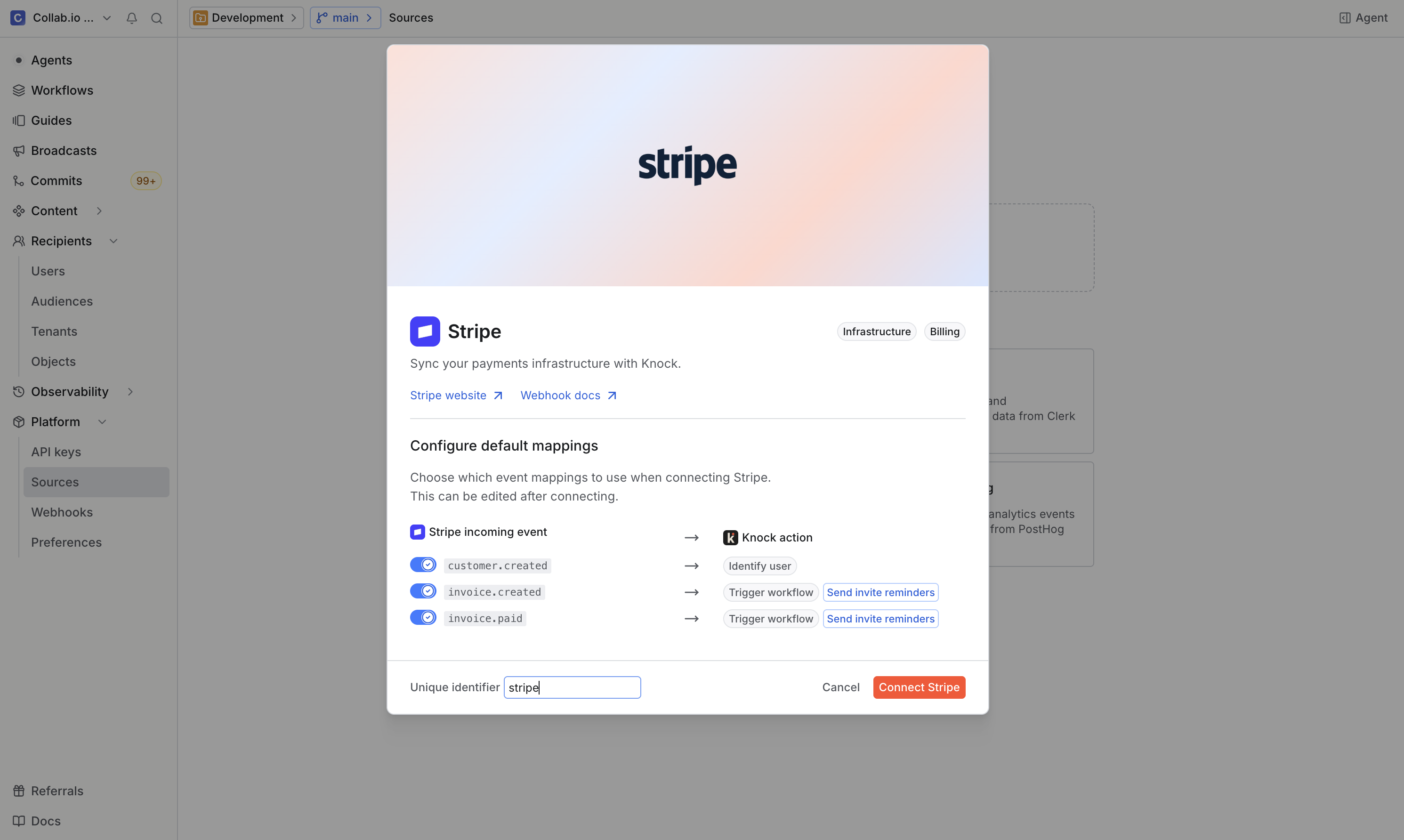
Supabase enables you to consume events produced by any database table actions. Here are a few examples of what's possible:
- Identify users and trigger onboarding messaging with
auth.users:INSERTevents. - Batch transactional messages for a comments feature with
public.comments:INSERTevents.
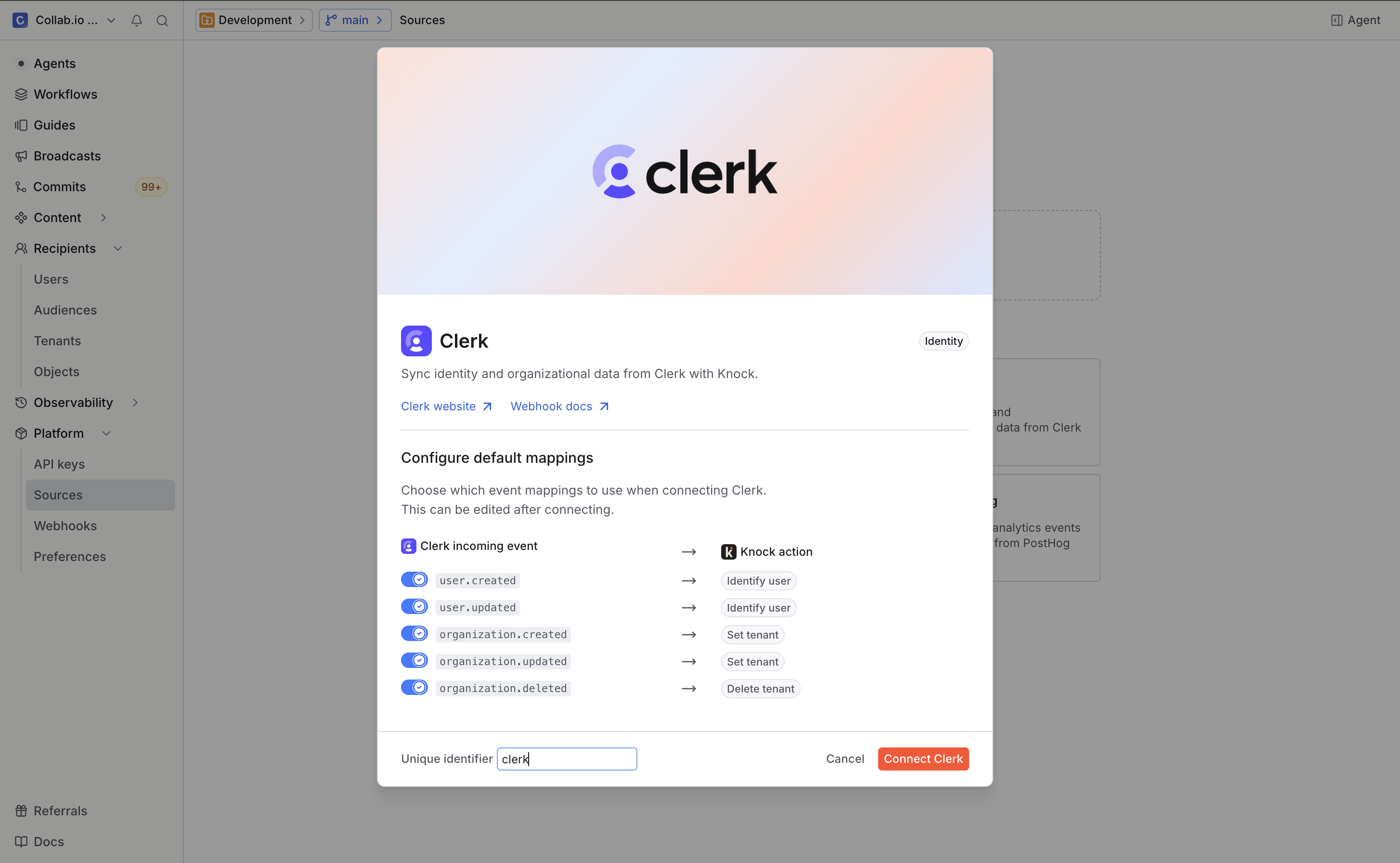
Clerk
Clerk syncs lifecycle messaging workflows to all auth-related events with minimal configuration. Here are a few examples of what you can do:
- Sync user and organization information using
user.createdandorg.createdevents. - Override default Clerk transactional messages with
email.createdandsms.createdevents. - Create a waitlist audience using
waitlistEntry.createdevents.
WorkOS
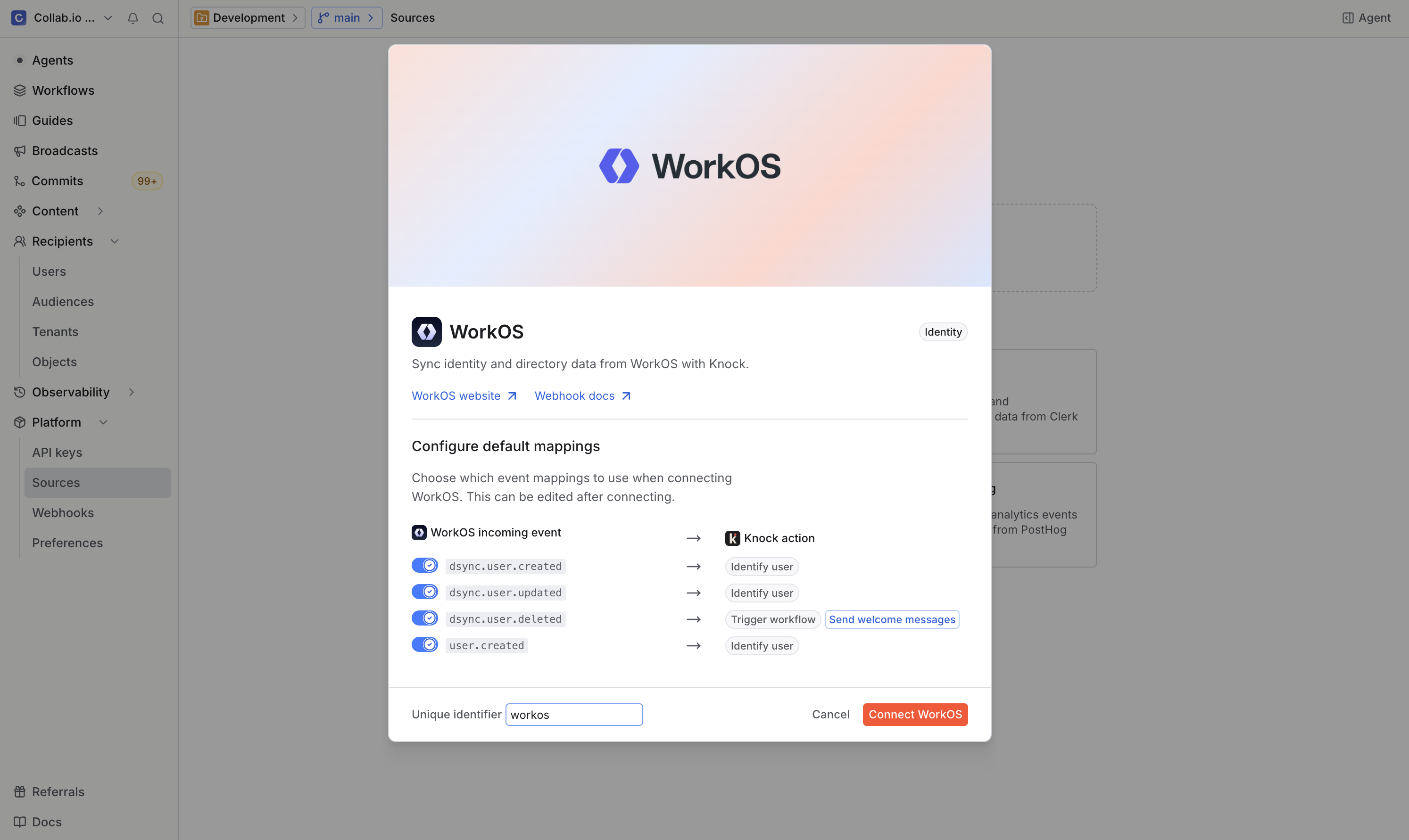
WorkOS enables you to replicate enterprise directory attributes enabled by SCIM and directory sync. Here are a few examples:
- Identify users and trigger messaging when
dsync.user.createdevents happen. - Mirror an organization's hierarchy in Knock when
dsync.group.createdevents occur. - Manage group membership via subscriptions with
dsync.group.user_addedevents.
PostHog
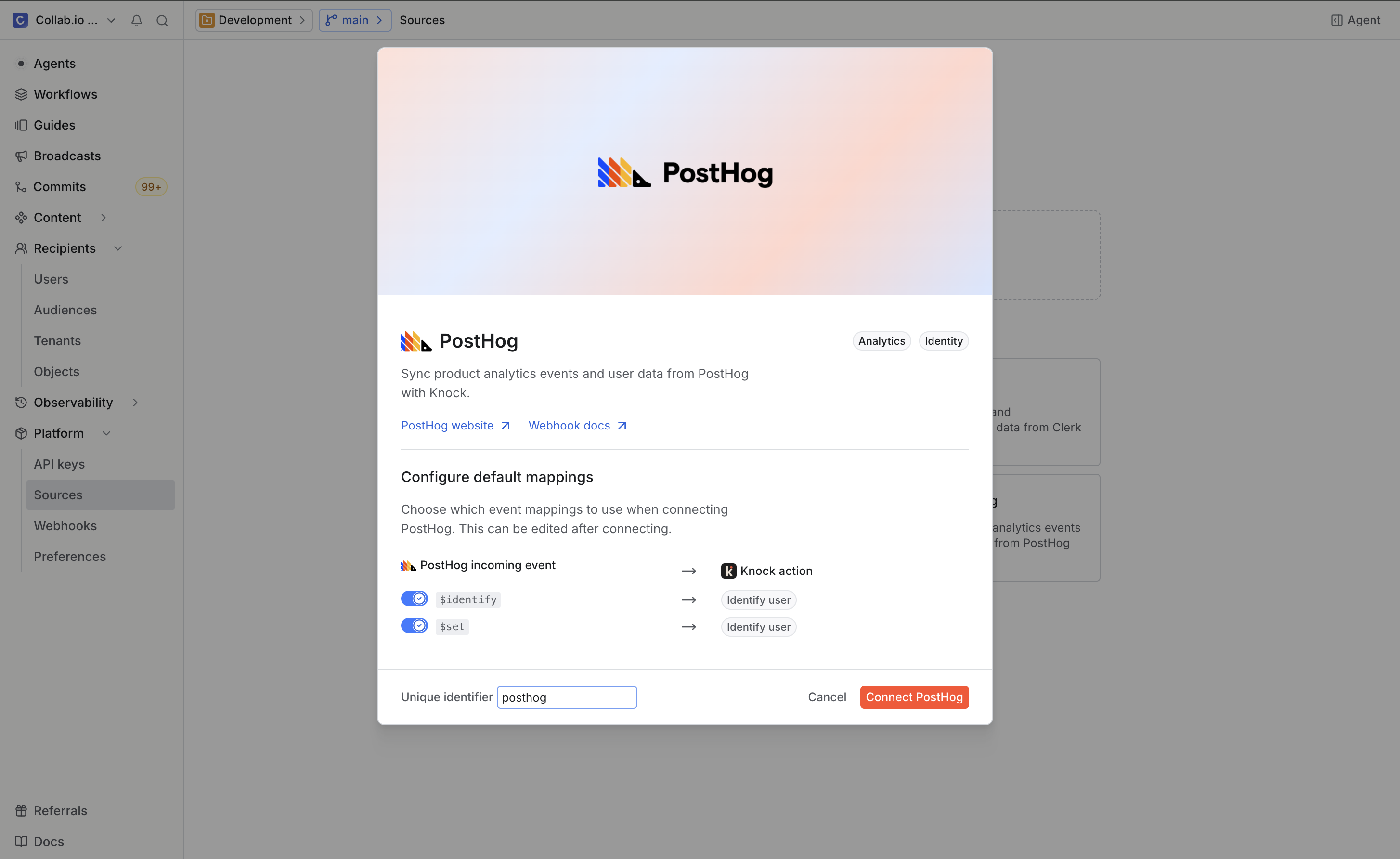
PostHog pipes customer data events into Knock. Here are some examples:
- Identify users and trigger onboarding messaging with
$identifyevents. - Enrich leads and trigger messaging on form submit
$autocaptureevents. - Trigger workflows or audience additions using any custom CDP event.
Build your own source
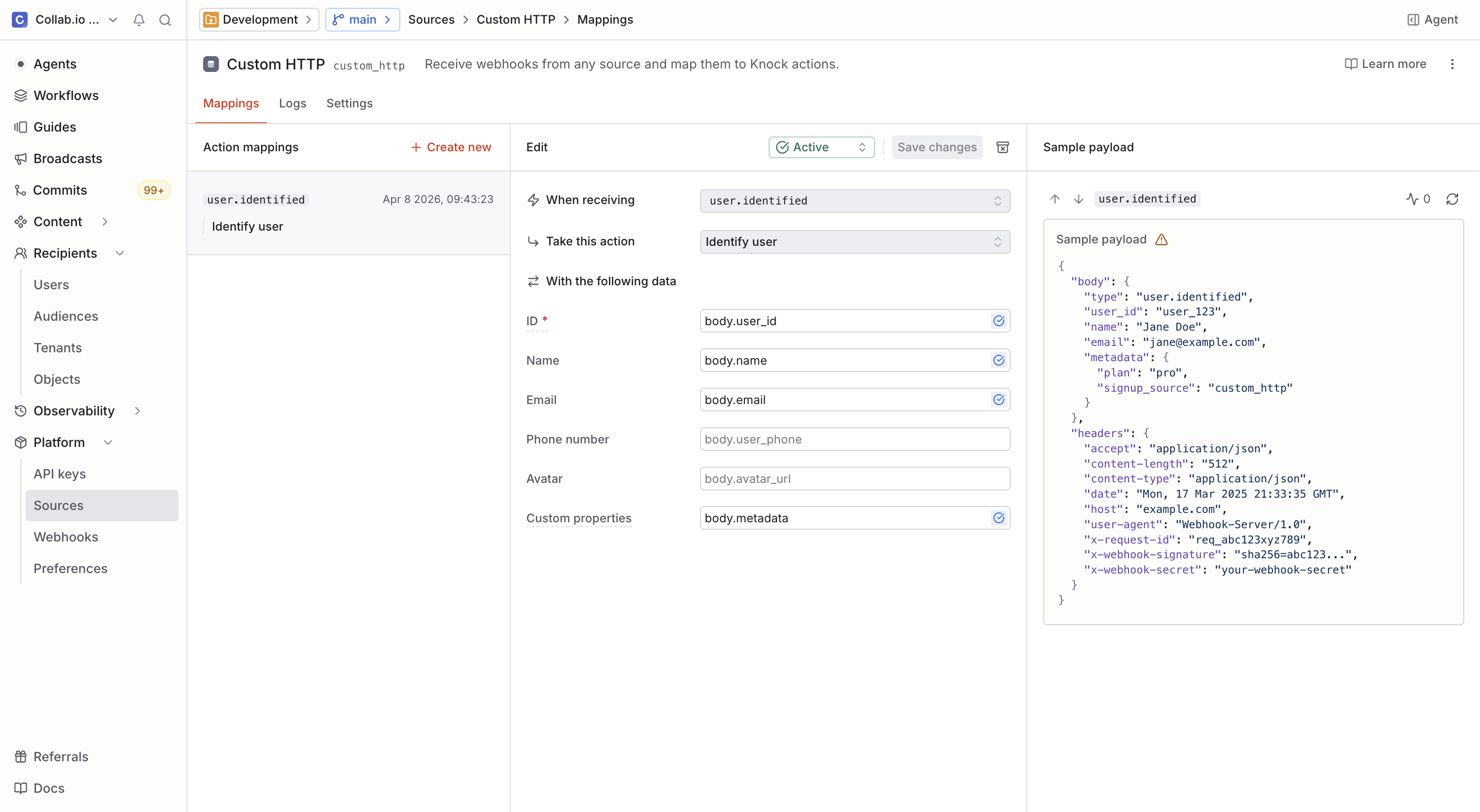
For any other providers, you can use our custom data source to map any kind of event to an action in Knock. That means it's possible to integrate providers that aren't yet included in our pre-built source library, or to integrate your own internal events service into Knock.
For most providers, you can use your Knock source endpoint as a webhook destination and map events from your provider to actions in Knock with a few clicks.
Transform and verify with custom scripts
If you've worked with webhooks before, you know data across third-party tools is never consistent, and mission-critical events like payments and authentication require verification.
To solve these problems, Knock data sources include a flexible scripting framework that uses JavaScript to process, validate, and transform incoming requests.
async function main(ctx) {
  const { headers, rawBody, body, vars } = ctx;
  const verified = await verifyHmacSha256({
    secret: vars["SERVICE_SIGNING_SECRET"],
    signature: headers["x-webhook-signature"],
    payload: body,
  });
  const full_name = `${body.first_name} ${body.last_name}`;
  return {
    verified,
    full_name,
  };
}
This function runs whenever an event is received and before any actions are processed, enabling you to write your own logic to verify a payload and transform properties to better match how they're used in Knock messaging.
Get started
Data sources are available today for all Knock customers. You can get started by going to the "Settings > Sources" page in the dashboard, or read more in our documentation.