Today we're excited to introduce data functions, a new set of workflow functions available in Knock.
Data functions enable you to write data back to Knock from within a workflow run. You can update user, tenant, and object properties, add or remove users from an audience, or modify the workflow's own data scope for use in subsequent steps.
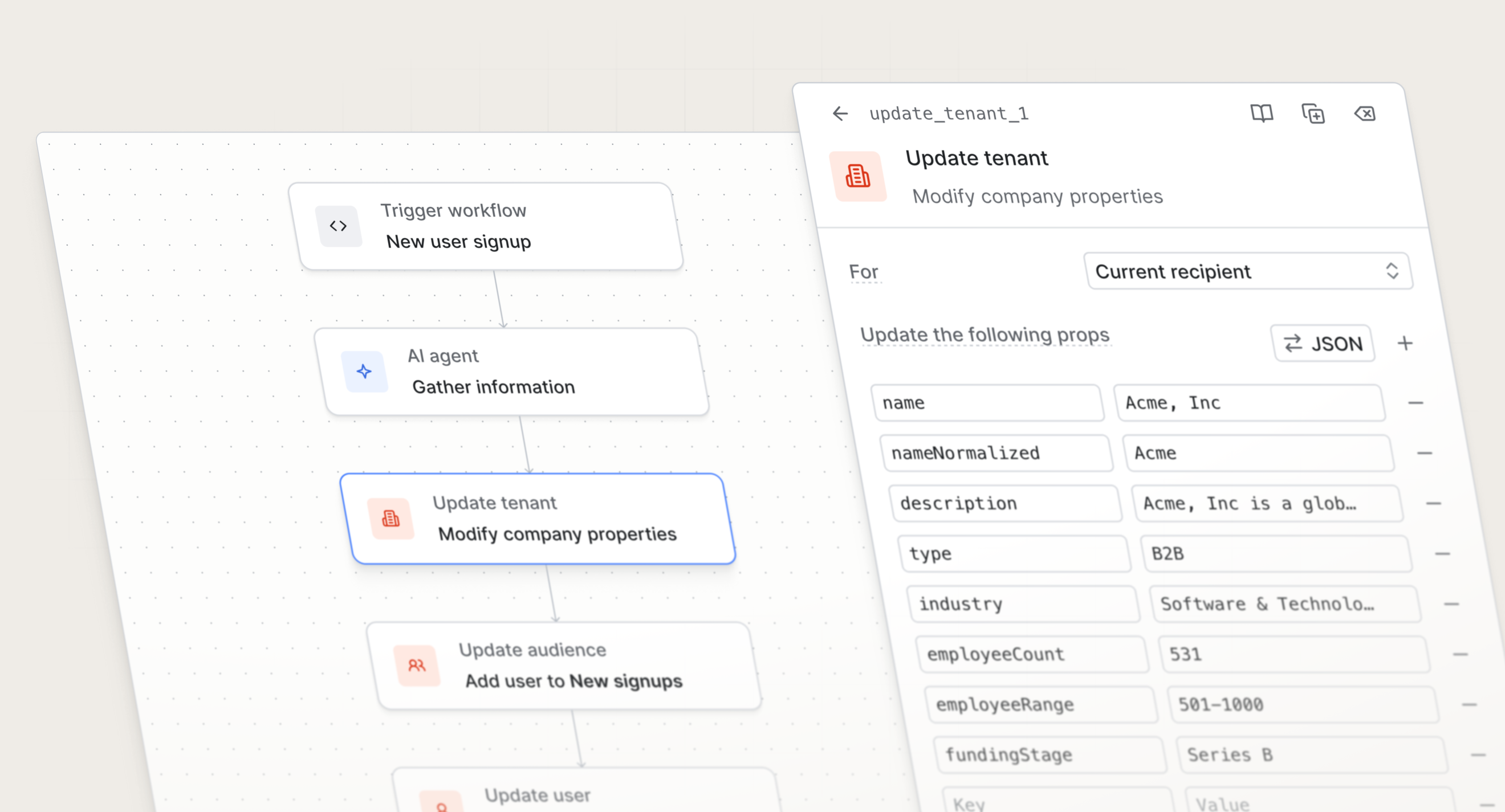
Updating data from within a workflow ensures records stay enriched and up to date, powers better segmentation and personalization, and enables you to make users eligible for other messaging, such as guides, broadcasts, and other workflows.
These functions change what Knock is capable of as a platform, and they open up a fundamentally new way of building with it.
How data functions work
Until now, Knock workflows have been read-only when it comes to the data you store in Knock. A workflow run could read user properties, tenant properties, and audience membership to make decisions, but it couldn't update them.
If you wanted a workflow to change something about a user or tenant based on what happened during a run, you had to do it yourself, outside of Knock.
Data functions close that loop. When a workflow run reaches a data function step, it can write back to Knock directly.
The new data functions available today include:
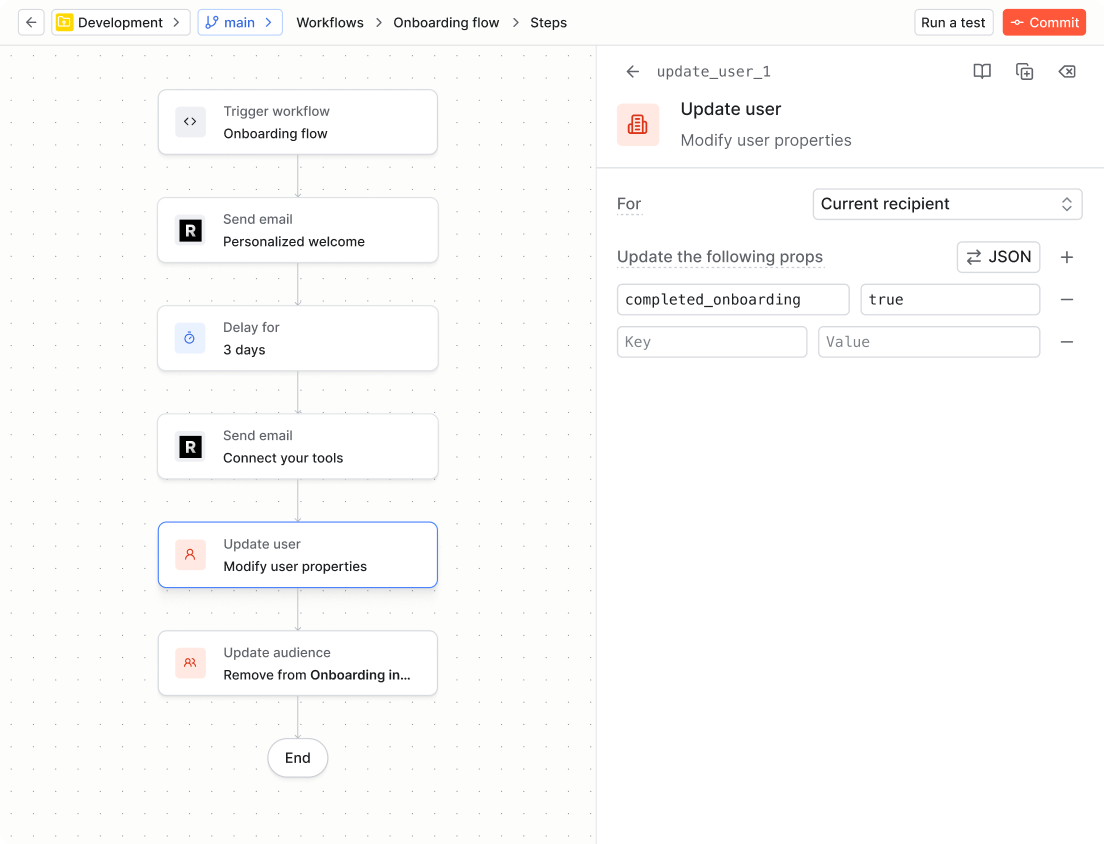
- Update recipient. Modify the recipient's properties or preferences. For example, mark the
completed_onboardingproperty astruewhen a user finishes an onboarding workflow. - Update tenant. Modify a company's properties. For example, update the tenant's
plan_tierproperty to"pro"when a workspace upgrades their plan. - Update object. Modify properties on any object in your environment—projects, orders, tasks, and so on. For example, update
completed_tasks_counton a project when a task is completed, so a summary notification always shows the right total. - Modify workflow. Add or update a property in your workflow's data scope. This enables you to compute a value in an early step and use it in later branch or message steps—useful for storing a personalized recommendation or computed label before it's referenced in a template.
- Update audience. Add or remove a user from a static audience. For example, add users to a "Power users" audience when they hit a usage milestone, or remove them when they churn.
Putting data functions to work
The real power of data functions isn't any individual step—it's what they enable across your entire Knock setup.
When a workflow run can write back to Knock, the data in Knock becomes a live, accurate record of what's actually happened in your product. That record then feeds back into your workflows, your guides, and your broadcasts.
Here are a few ways that plays out in practice.
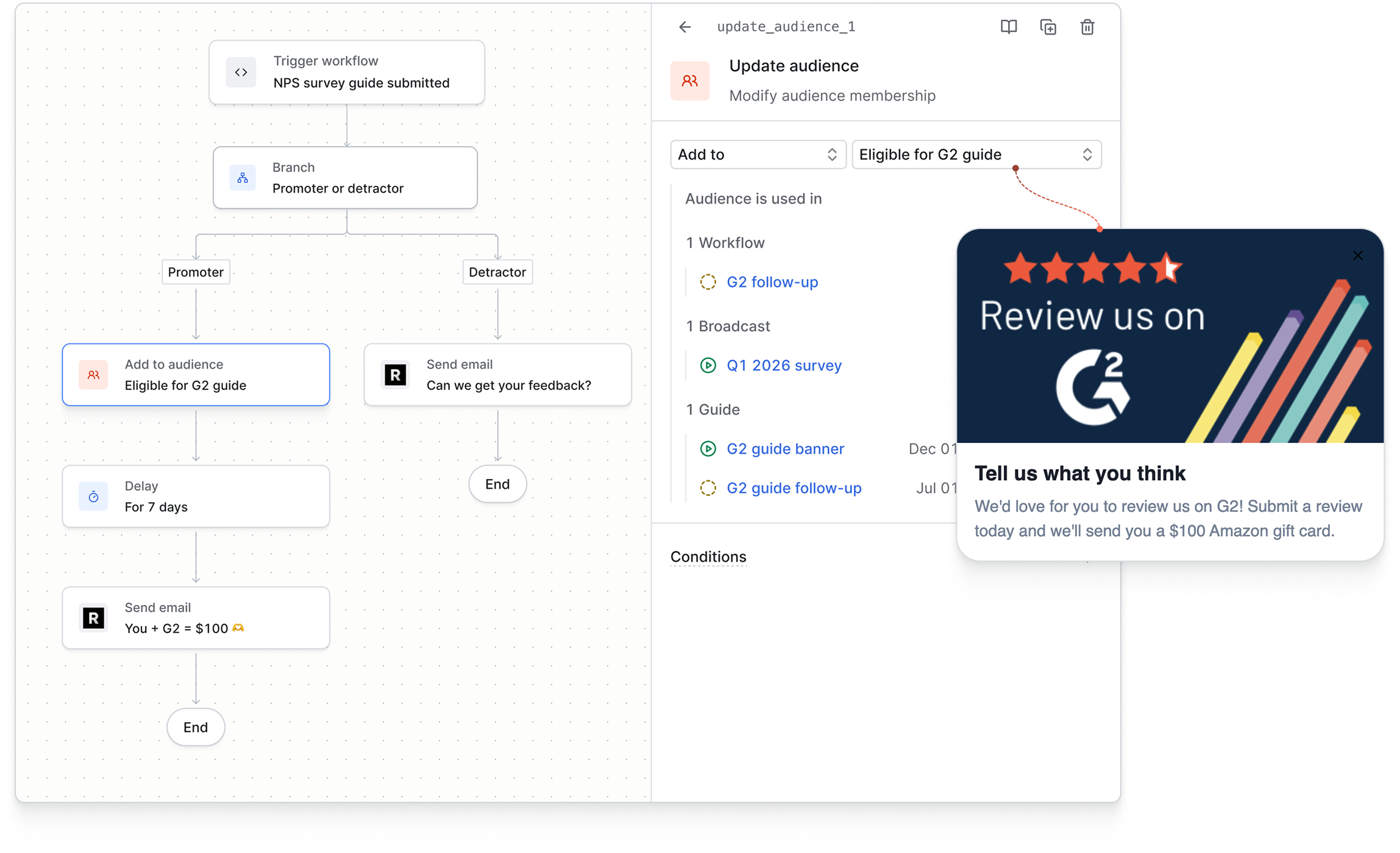
Using audience membership to trigger other messaging. Audiences in Knock gate which users are eligible for guides and broadcasts. When you add a user to an audience from within a workflow—say, when they complete a specific action or reach a milestone—they become immediately eligible for every guide and broadcast that targets that audience. You don't need to manage this outside of Knock. The workflow run handles it.
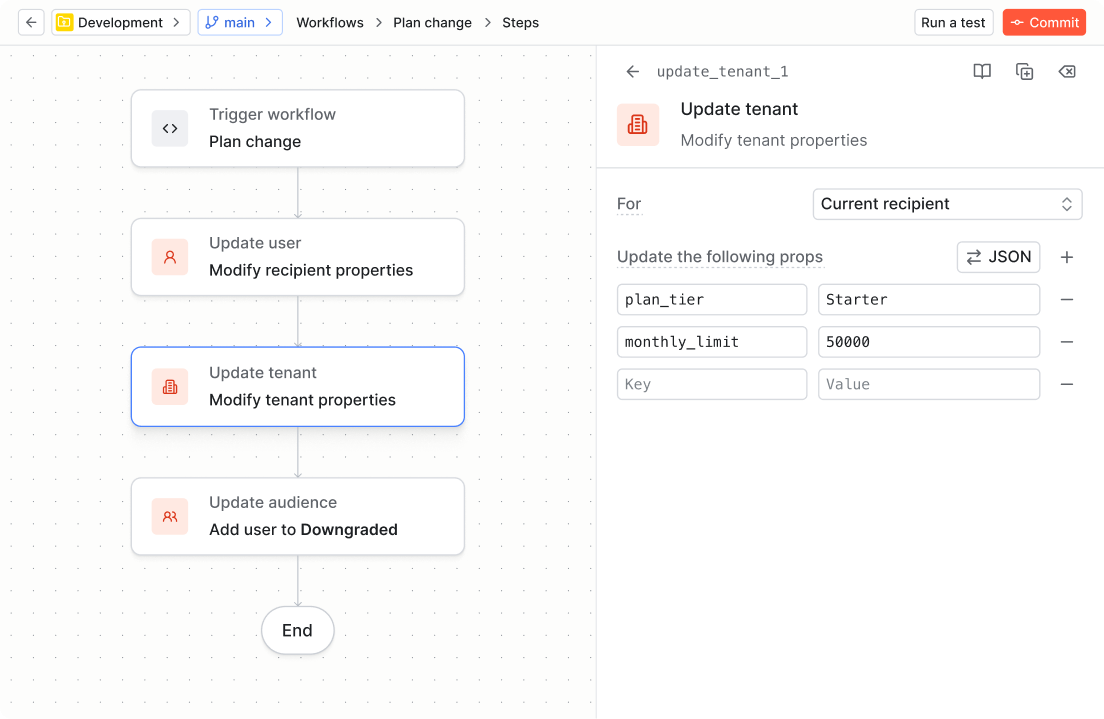
Keeping properties current so conditions stay accurate. Many of the most useful conditions in Knock depend on user or tenant properties being up to date. If a property like plan_tier or onboarding_complete falls out of sync with what's actually happened in your product, your messaging logic breaks quietly. Data functions let you update those properties at the exact moment the relevant event occurs, directly inside the workflow that handles it.
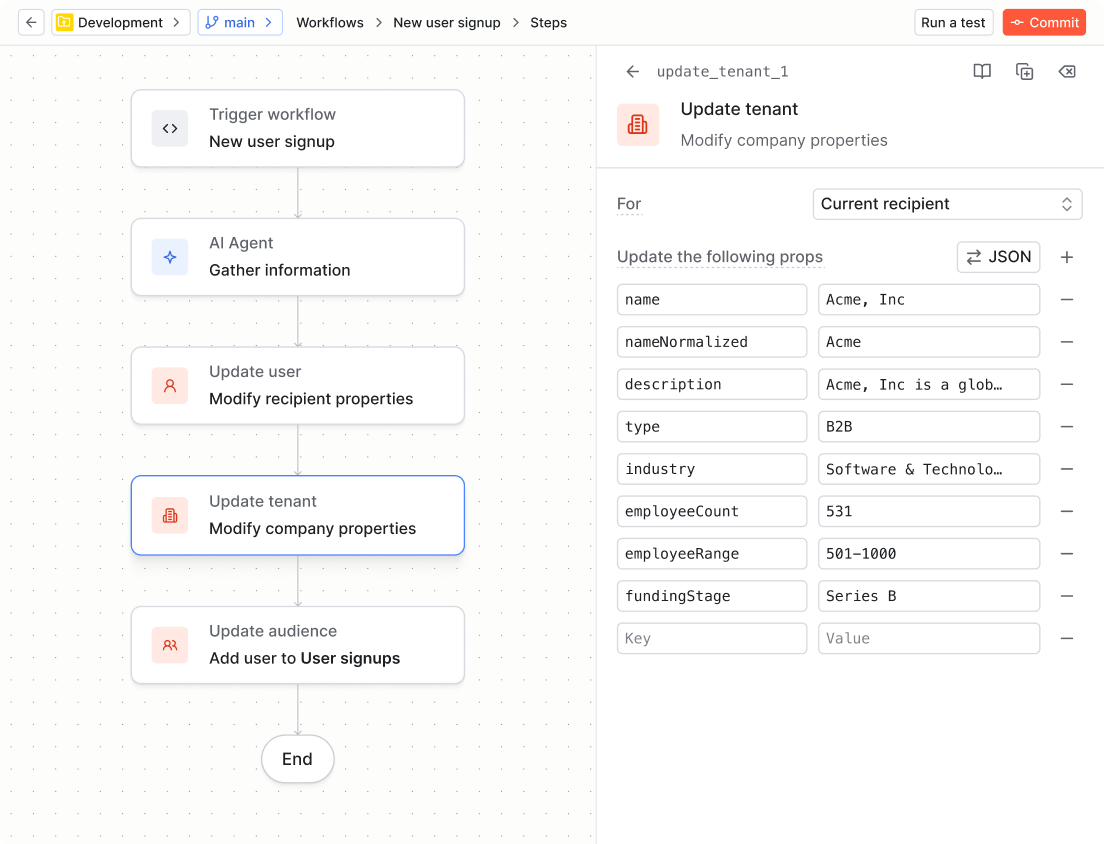
Enriching tenant properties with AI agent output. When you combine data functions with the AI agent function, you can run research or inference on a tenant during a workflow run, then write the result back to Knock as a tenant property. That property is then available across every workflow that runs in the context of that tenant—so the enrichment you do once propagates everywhere.
Building workflows that set up future messaging. With data functions, a workflow isn't just a sequence of messages. It's a mechanism for updating the state that governs all future messaging. Completing an onboarding workflow can mark users as onboarded, removing them from onboarding guides and making them eligible for activation campaigns. Hitting a usage limit can update a tenant property and trigger a different set of workflows for everyone in that workspace.
Get started
Knock has always been designed around the idea that your messaging infrastructure should be able to reflect what your product knows. Data functions make that more literal.
Instead of treating Knock as a system you push data into from outside tools, you can now use it as your system of record. Enrich records as workflows execute, keep audiences accurate, and make sure every message is sent with the most relevant context.
Data functions are available today for all Knock customers. To get started, sign up for a free account. You can learn more about data functions in our docs.