Today we're thrilled to announce our AI agent function.
The agent function brings the capabilities of your favorite AI models—including web search—into your Knock workflows and broadcasts to gather context, enrich data, and personalize messaging.
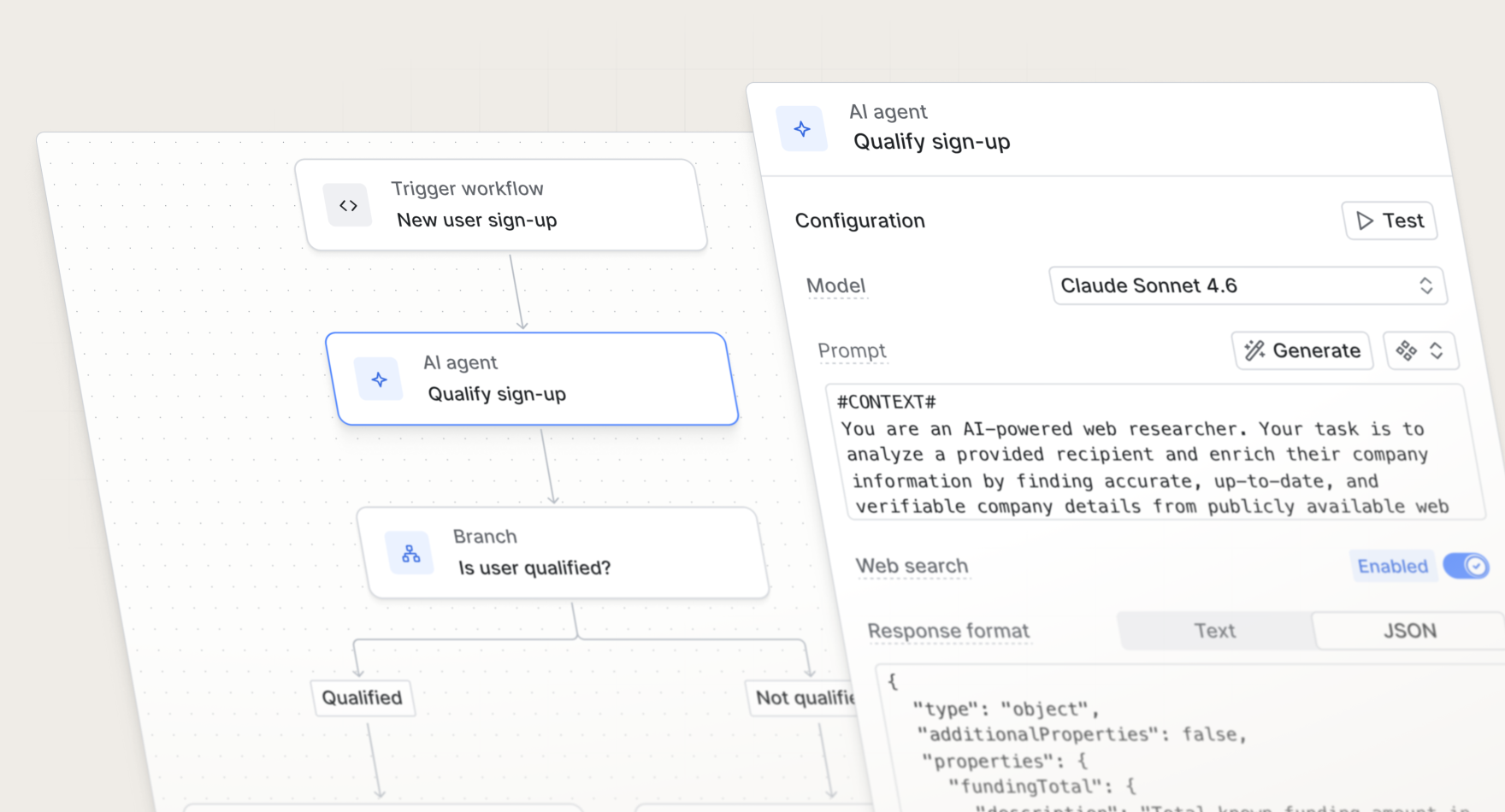
How it works
When a workflow run reaches an AI agent step, Knock combines your prompt with the current workflow run scope, including recipient, actor, tenant, trigger data, and environment variables, and sends it to the model you've selected. The response is stored in workflow run data as data.<step_ref> and is available to every subsequent step and template in the workflow.
Some of the core use cases you can accomplish with the AI agent function include:
- Enrich data. Run research on a user's company, market, use cases, and more before messaging them. You can enrich user profiles with firmographic context and use it to create audience segments, so you can send different messages based on relevant information.
- Personalize messaging. Bring AI-enriched context into your message step templates to drive higher conversion rates. Instead of sending the same copy to every user, the AI agent step generates content that reflects what you know about each recipient at send time.
- Summarize content. After a batch function collects a set of activities, an AI agent step can distill them into a concise digest. This makes it easy to send skimmable daily summary emails and activity rollups instead of overwhelming your users.
Configuring an AI agent step
You can choose from a range of models, from lightweight options like Claude Haiku 4.5 for quick tasks, to more powerful models like Claude Sonnet 4.6 or Claude Opus 4.6 for complex reasoning. Each model tier has a different credit cost per execution.
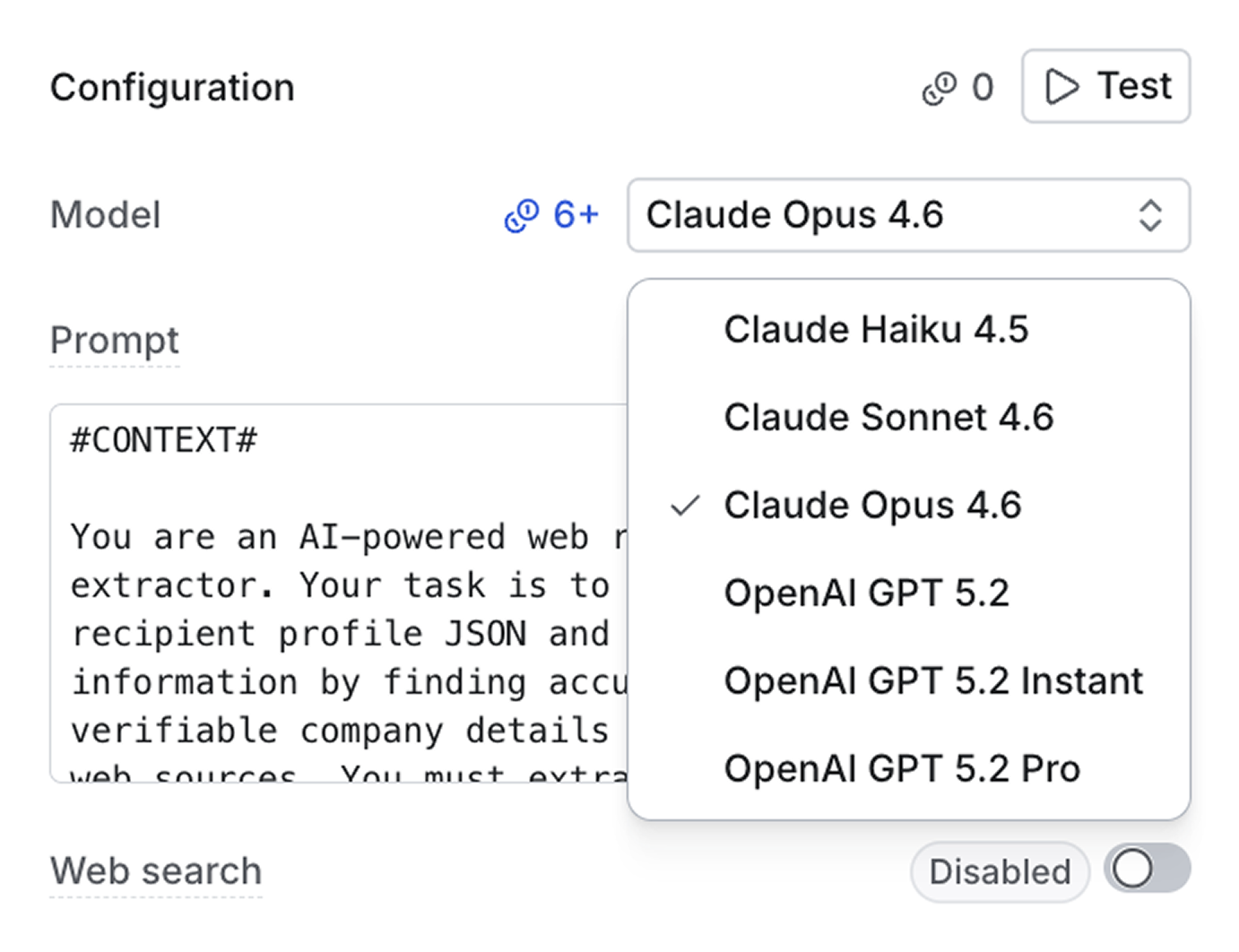
Web search is also available for Anthropic models. When enabled, the agent can crawl webpages to gather information, which is useful for enriching data from a recipient's domain or website.
AI can help you generate a comprehensive prompt from scratch, or you can choose from one of many prompt templates. Each template comes with JSON schemas to format the response, so you're not dealing with messy data.
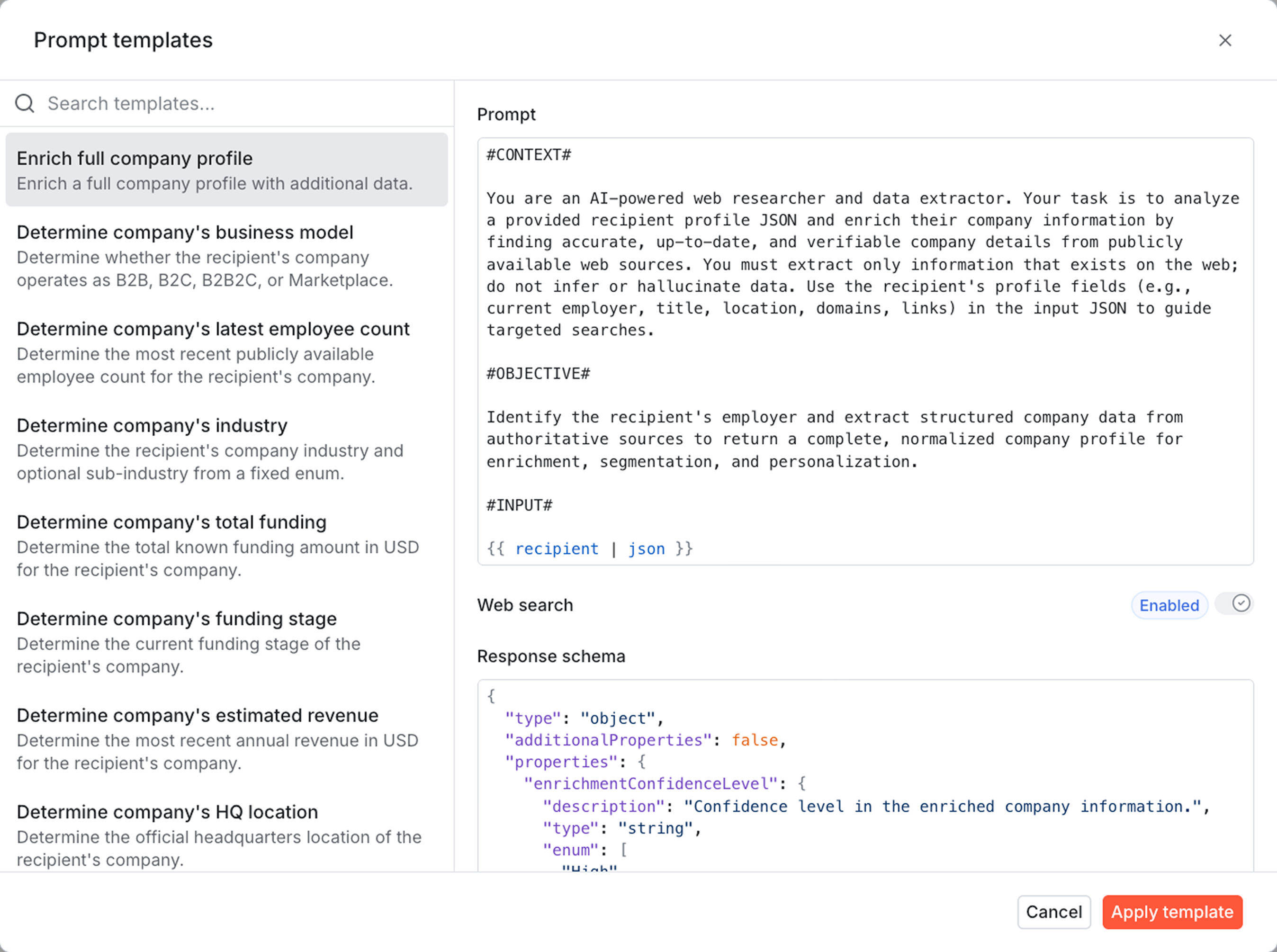
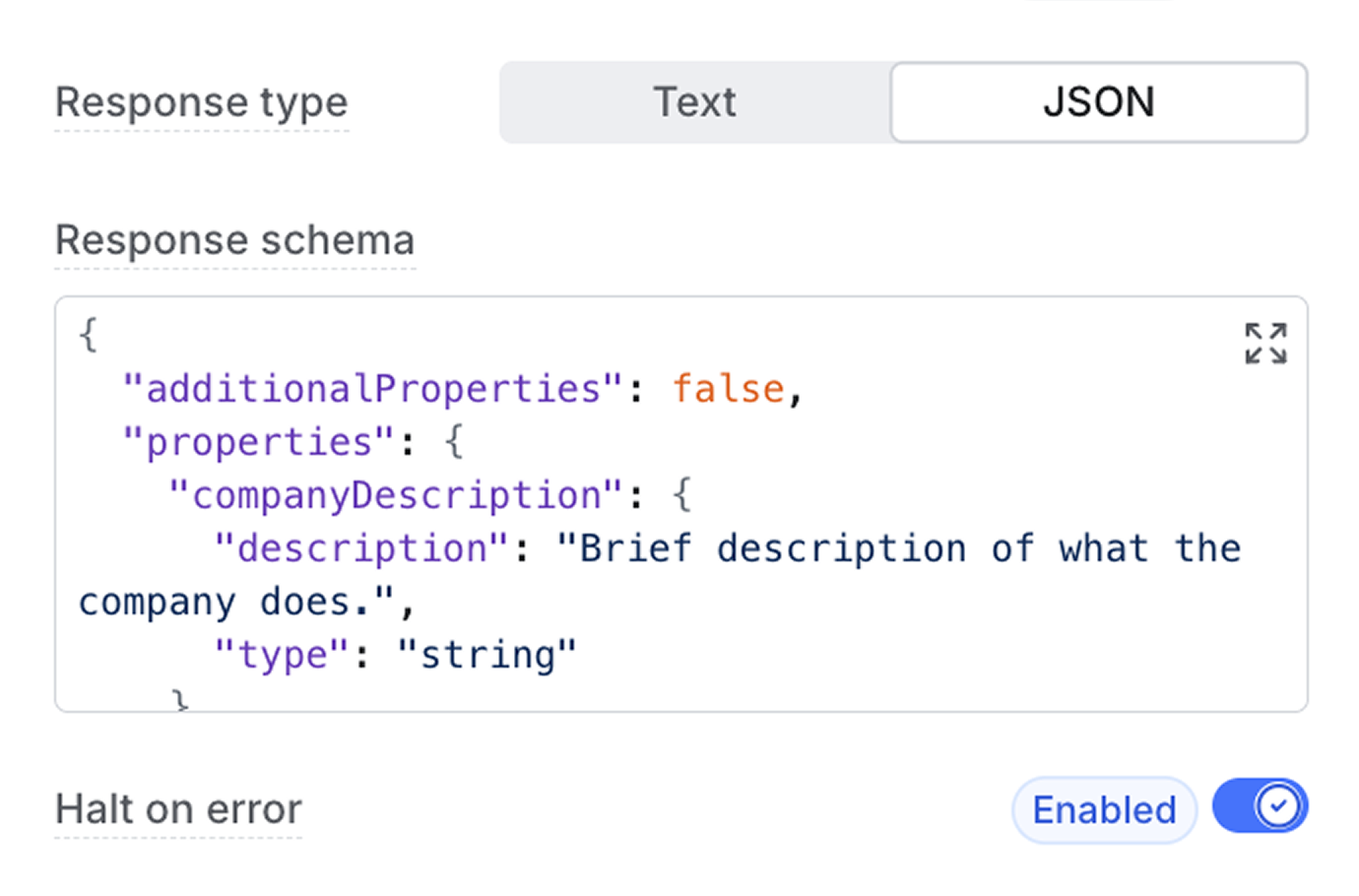
You can also set the response format to JSON and provide a schema for the output to adhere to. This ensures structured data and makes AI agent responses usable for enrichment and personalization purposes.
Testing and debugging
Test runs in the workflow editor execute the AI agent step in isolation and do not consume credits. You can provide a custom recipient, actor, tenant, and trigger data to simulate the exact workflow run state you want to test against.
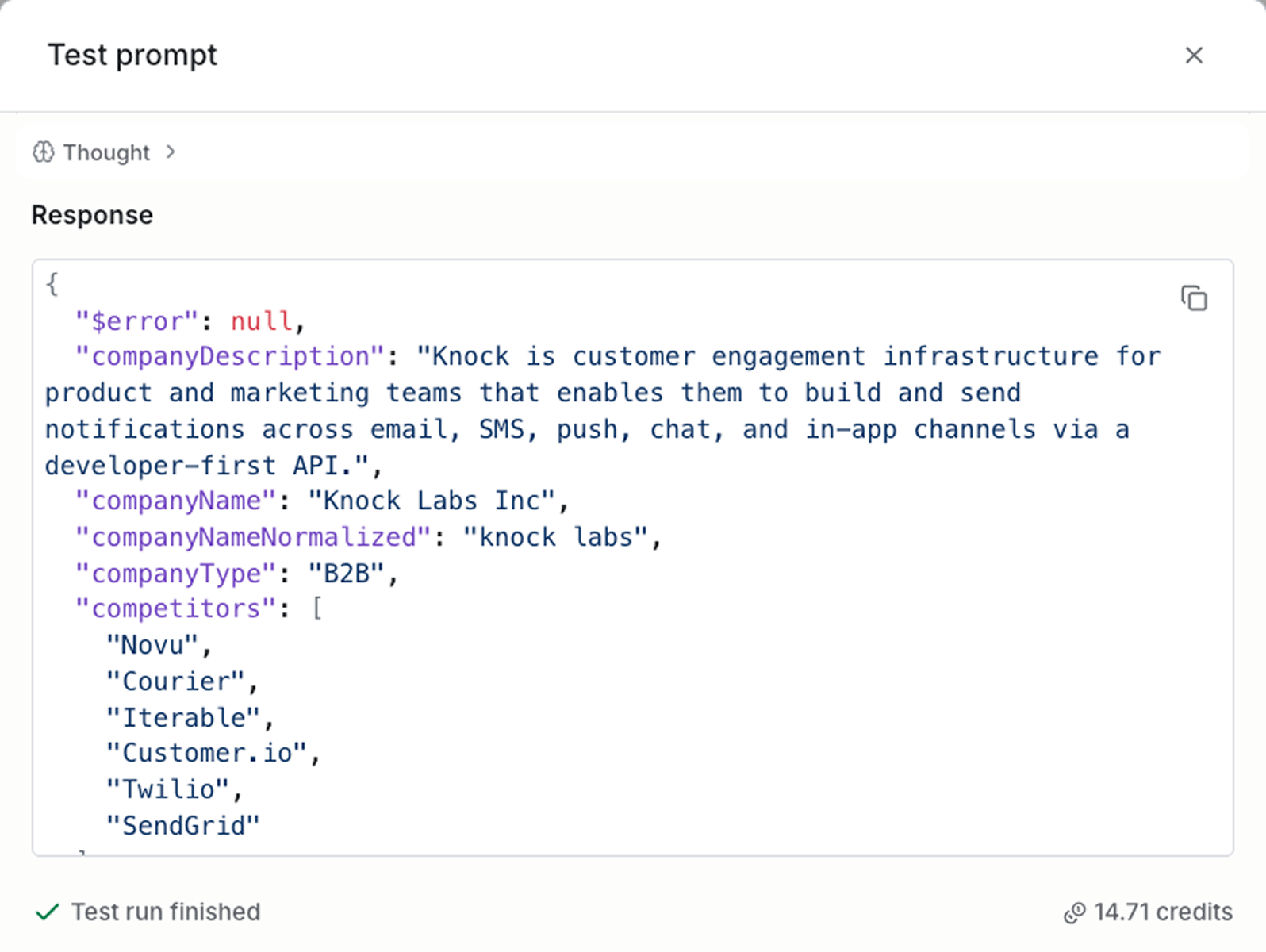
When a workflow runs in production, the workflow run logs include the rendered prompt, the model response, request duration, and any errors encountered.
Agent pricing
The AI agent function uses a credit model. Agent usage consumes credits according to your selected model and the number of tokens consumed by your agent.
All Knock plans come with an included amount of credits, after which you can pre-purchase top ups, configure auto-replenishment rules, and set max spend limits for your account.
Get started
The AI agent function is available today for all non-enterprise accounts. Developer plans include 500 free credits per month and starter plans include 2,000 free credits per month.
To get started sign up for an account. Learn more about the AI agent function in our docs.