Knock vs. Intercom
In-app messaging that feels like your product
Create responsive modals, banners, and nudges that match your product UI and branding. Target users at the right moment to drive engagement and conversion.




Top reasons teams choose Knock over Intercom
Learn why companies reach for Knock when looking for Intercom alternatives.
Always on brand
Match your product's typography, colors, spacing, and animations exactly, so every in-app message feels like an extension of your product.
Native, snappy performance
Build any in-app messaging experience you can imagine, rendered with your own components for fast, responsive performance.
Agentic customer engagement
Knock is built for agents to do the work. Build guides and the journeys around them with a prompt, and manage messaging from Claude, Slack, or the terminal.
Product messaging beyond the inbox
Run onboarding, billing, and product notifications on the same platform as in-app guides. Keep support conversations in Intercom, and send the rest from Knock.
Advanced sending controls
Apply batching, digests, throttling, and idempotency so product messages and notifications stay timely. No custom logic needed.
One system for all messaging
Coordinate in-app messaging alongside email, SMS, push, and chat. Smart controls help you reach the right users at the right time, avoiding message fatigue.
On-brand, native in-app messaging
Ship paywalls, dialogs, and nudges powered by your components. Enable non-engineers to edit copy and targeting in Knock.
Introducing: faster uploads
You’ve never seen file uploads like this.
Introducing: Collab.io 4.0
A whole new way to collaborate with your team.
Bigger, bolder assets
Upgrade to upload and store assets over 250+ megabytes
Introducing Collab AI

Build and collaborate - faster than ever - with a helpful set of AI tools.
Publish your site
Learn how to publish your work to your clients
Publish to web
Create a website from your Collab pages
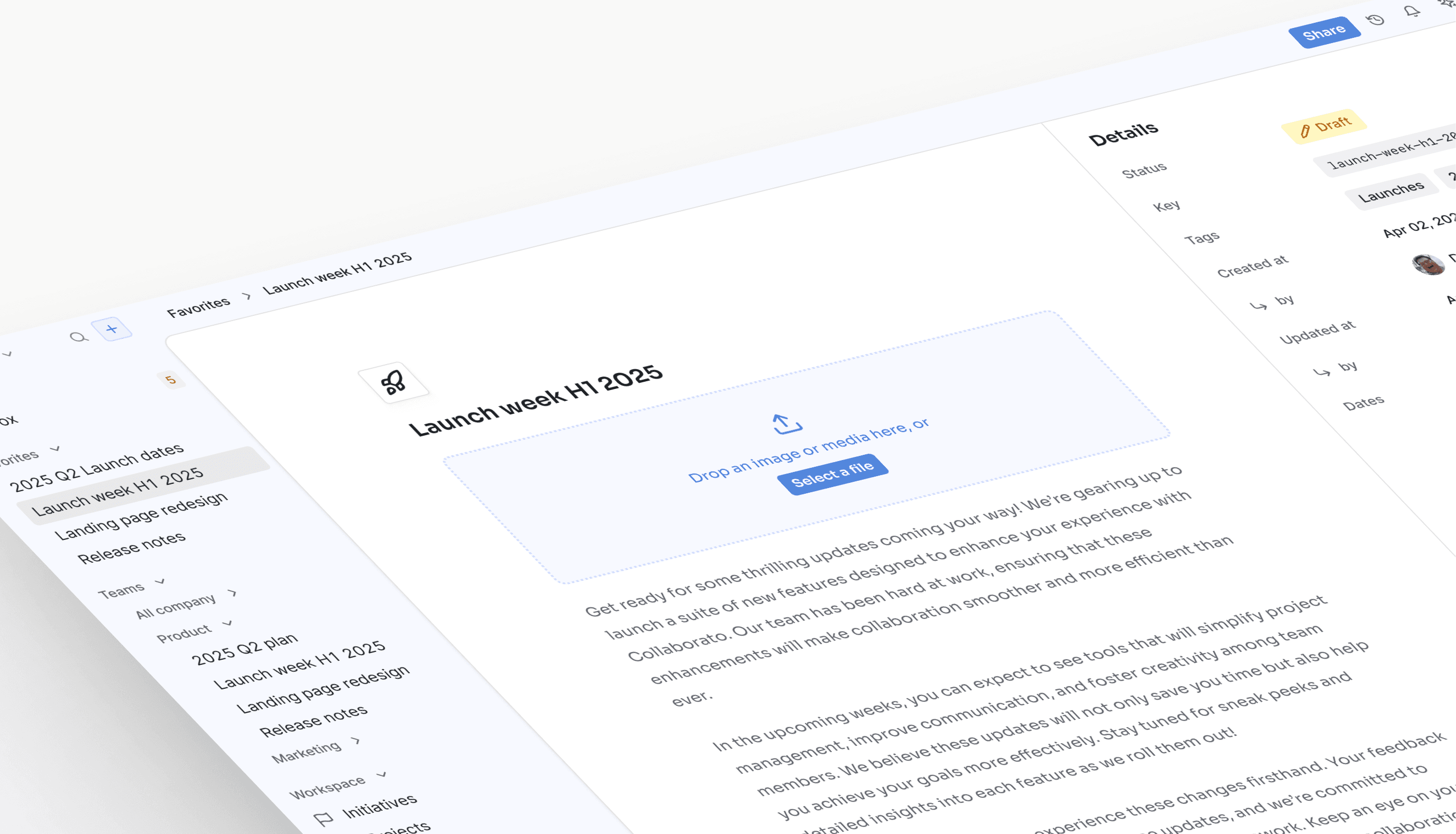
Launch week H1 2025
We’re excited to share a series of updates to Collaborato, all focused on streamlining collaboration for you and your team!
A preview of what’s to come...
Ship coordinated, cross-channel messaging
Coordinate in-app and out-of-app flows that reach the right users at the right moments. Send dynamic, on-brand messages across email, in-app, push, SMS, and chat.
The First project banner guide being edited, at Collab.io: the title, Create your first project, then the body, Start from a template and invite your team, are typed into empty fields, and the banner preview in the Collab.io app trades its placeholders for them. Its Create a project button opens /projects/new, it targets the New signups audience, and it shows on pages whose URL contains /projects.

Ship banners, modals, and tooltips with your own components.
banner / modal / card / tooltip
Knock vs. Intercom feature comparison
| Feature | Knock | Intercom |
|---|---|---|
| Lifecycle and marketing | ||
| One-time and recurring broadcasts to audiences | Yes (broadcasts, sent from the dashboard) | Yes (outbound messages) |
| Dynamic audiences built from user properties and events | Yes, reusable across workflows, broadcasts, and guides | Yes (segments) |
| Multi-step lifecycle journeys (onboarding, activation, win-back) | Yes (workflows with branching, delays, and AI agent steps) | Yes (Series) |
| Workflow and broadcast analytics | Yes | Conversation and campaign analytics |
| Goals with conversion attribution | Yes | Yes |
| In-app messages, banners, and nudges in your own components | Yes (guides) | Pre-built messenger and tours |
| Drag-and-drop email editor for non-technical users | Yes | Yes |
| Self-serve copy and targeting edits without a deploy | Yes | Yes |
| One system for every message | ||
| Product, lifecycle, and transactional messaging in one platform | Yes | Focused on support and conversational messaging |
| Email, SMS, push, in-app, Slack, Microsoft Teams, and WhatsApp | Yes, native | Email, in-app messenger, push, and SMS |
| Bring your own providers (25+, such as Amazon SES and Twilio) | Yes | Intercom's own channels |
| Batching, digests, throttling, and idempotency | Yes, built in | No |
| Cross-channel user preference center | Yes | Yes |
| Multi-tenancy | Yes | Workspaces for separate brands |
| Reliability and control | ||
| Delivery logs with downstream provider responses | Yes | Conversation logs |
| Git-style versioning and multiple environments | Yes | Change history |
| CLI, Management API, and MCP server | Yes | REST API |
| 99.99% uptime | Yes | Contact Intercom for SLA details |
Frequently asked questions
Knock and Intercom both help product teams reach users inside the product. Intercom focuses on live chat, a support inbox, and outbound conversational messages. Knock runs those in-app messages on the same platform as lifecycle campaigns and transactional notifications, so marketing, product, and engineering work from one set of audiences, templates, preferences, and delivery logs.
Yes. Knock guides render in your own components, so modals, banners, nudges, inboxes, and toasts match your product. Intercom uses a pre-built messenger, product tours, and a support inbox. The same Knock project also runs lifecycle campaigns: broadcasts to dynamic audiences, multi-step journeys, and a cross-channel follow-up when a user does not engage in the app.
Yes. While getting Knock connected to your messaging providers, data warehouse, and other third-party integrations may require some technical involvement, non-technical users can create messaging workflows, manage notification templates, edit and send one-time messages, ship in-app messaging, and view analytics without developer involvement.
Knock can replace Intercom for outbound lifecycle campaigns, in-app announcements, and product notifications. Teams that need a live support inbox can keep Intercom for conversations. Running both for outbound messaging means duplicate audiences, templates, and preference settings.
Intercom reports conversation volume and outbound engagement. Knock reports opens, clicks, impressions, and dismissals across workflows, broadcasts, and guides, tracks goals with attribution, and streams data to your warehouse. Knock also adds end-to-end delivery observability, so any team can see why a specific message did or didn't reach a user, including the provider's response.
You can. Some teams keep Intercom for live support and move outbound campaigns and product notifications to Knock. Running both for the same messages means duplicate audiences, inconsistent templates, and separate preference settings. Teams that use Intercom mainly for outbound messaging consolidate onto Knock.
Intercom can send transactional messages, and it is built around a support inbox and live chat. Knock applies transactional primitives such as batching, digests, and idempotency across its workflow engine, alongside delivery logs, versioning, and multiple environments.
Knock sends billions of messages in production for companies such as Vercel, Webflow, and Zapier with 99.99% uptime, and handles both scheduled campaigns and real-time, event-driven messages on the same infrastructure.
Intercom supports email, an in-app messenger, push, and SMS. Knock supports email, SMS, push, and in-app, plus native Slack, Microsoft Teams, and WhatsApp, and webhooks for custom channels. You can connect 25+ providers, for example Amazon SES for email or Twilio for SMS in 180+ countries, and switch providers without rebuilding campaigns.
Knock has transparent usage-based pricing that starts at $0 for the first 10,000 messages, with volume discounts for larger companies. All plans include unlimited data ingestion and unlimited channels with no onboarding or service fees; you pay for messages sent. Intercom prices by seats and plan.
Knock holds SOC 2 Type 2 certification and supports GDPR and CCPA requirements on every plan.
Most teams migrate in 2 to 4 weeks, depending on how many in-app experiences and workflows they run. Knock's support team helps with the move.