Today we're shipping the ability to power internal Slack alerts through Knock. You can now connect your team's Slack workspace to Knock to trigger messages to internal Slack channels and recipients.
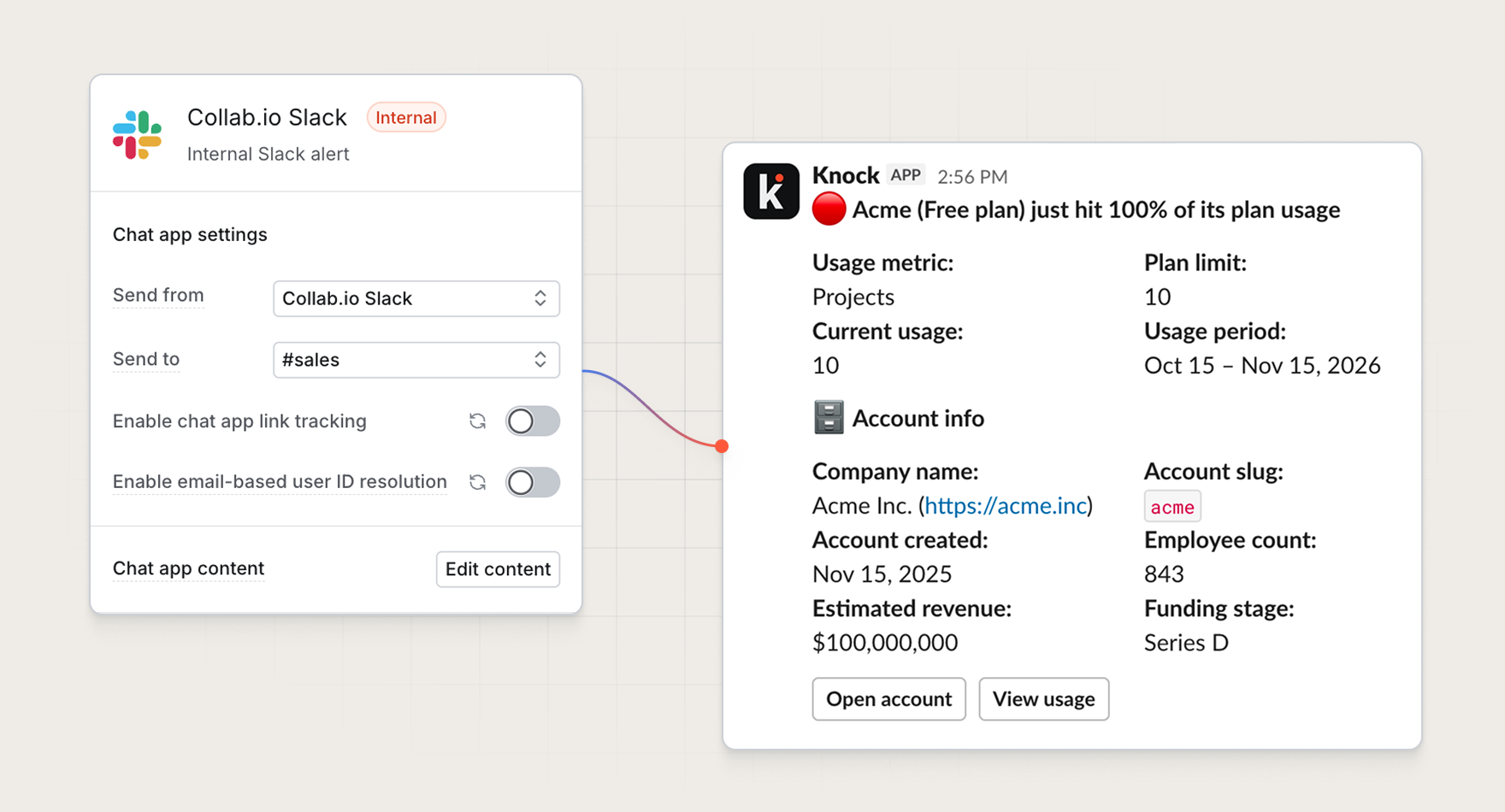
Alerts across your workspace
The internal Slack channel can be used in workflows to automate alerts that keep your team in the loop or let them know when action is needed.
Add an internal Slack step alongside email, SMS, or push notifications so your team gets notified in Slack when a relevant user event happens. The same workflow can email the customer and Slack your team without needing to create a Slack app, manage bot tokens, or store Slack channel data on your recipients.
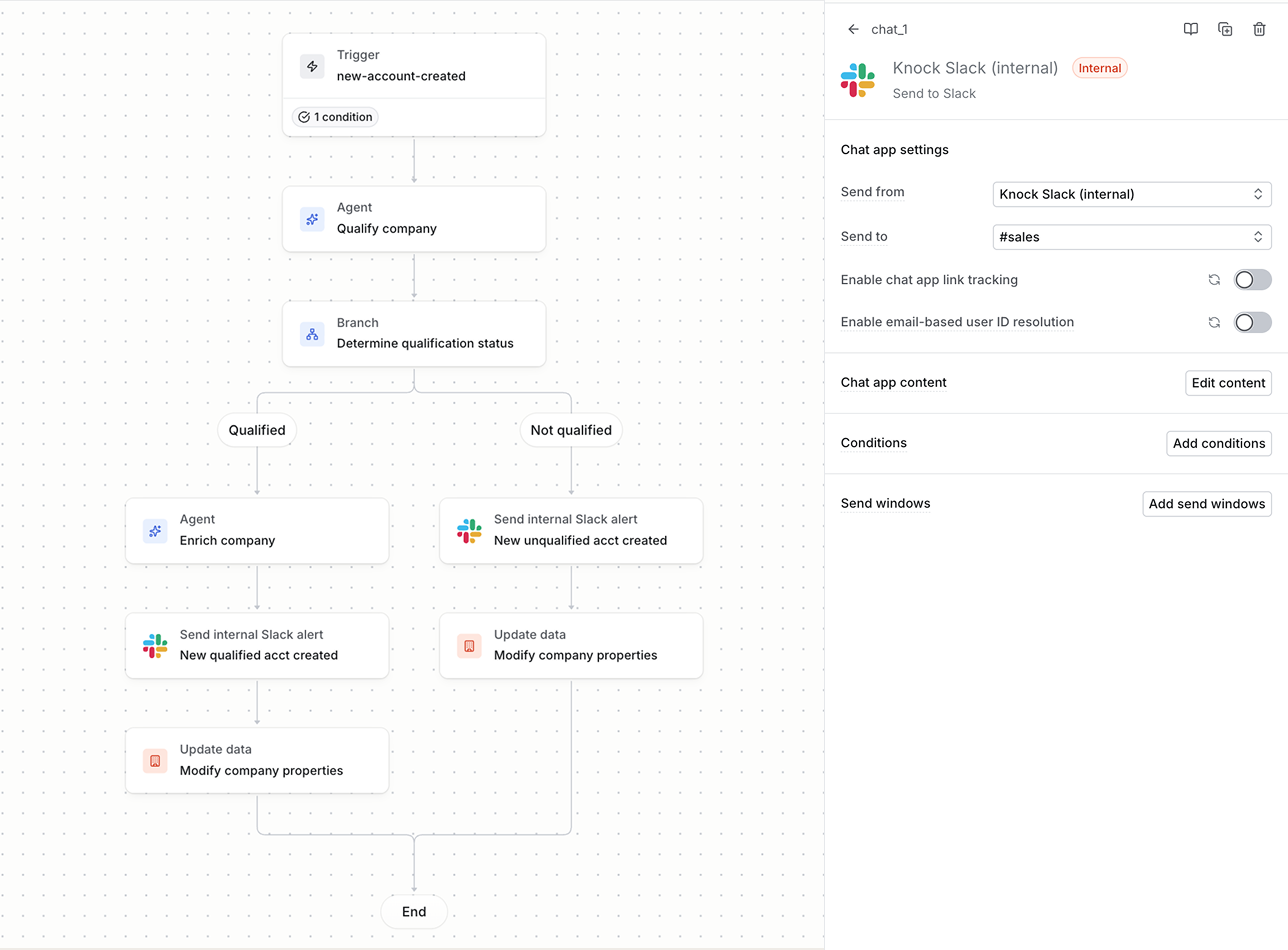
Common use cases across teams include:
- Marketing + sales. Alert
#salesor an account owner when a high-value prospect signs up or free account hits their usage limit. - Customer success. Message
#supportor an account owner when customers file support tickets or a high-value customer is showing churn risk. - Finance. Ping
#billingor finance owners when an invoice is overdue, a customer payment fails, or an account upgrades. - Engineering. Route failed imports, error spikes, or product feedback into
#eng,#ops, or#feedback. - Product. Notify
#productwhen power users cross an engagement threshold or a new feature is used for the first time.
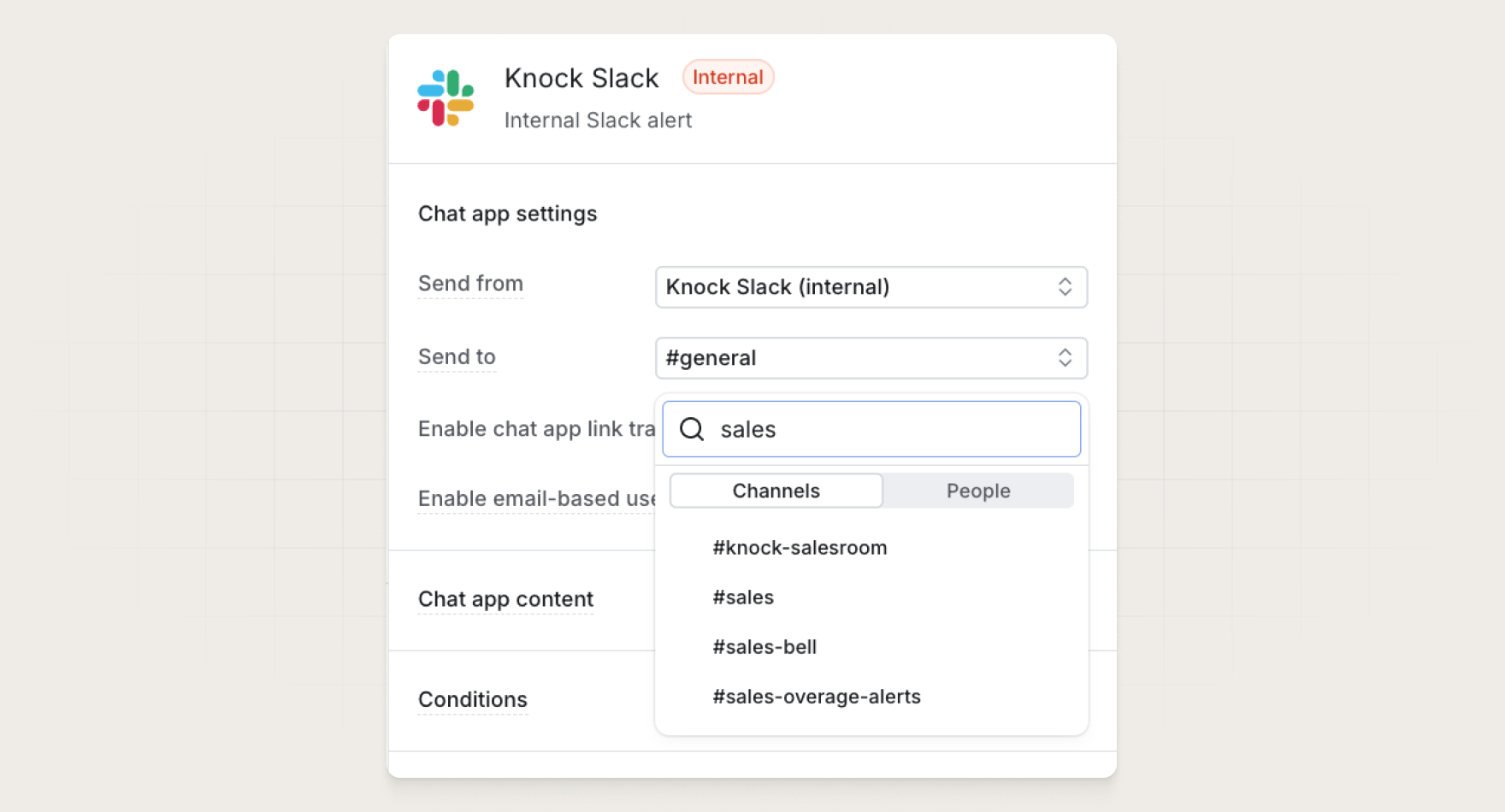
Send to channels or people
Each internal Slack step has a Send to field where you can find all your public channels, private channels that Knock has access to, or people for direct messaging.
Different steps can send to different destinations, so one billing workflow can send a broad alert in #billing and a more detailed DM to the account owner in the same run.
Get started
Powering internal Slack alerts is available today for all Knock customers. Open Settings > Channels and sources to connect your Slack workspace to Knock.
If you already have your Slack workplace connected to Knock to message the Knock agent, the internal Slack step uses that same workspace connection.
Read more in our documentation.