Today we're shipping a pre-built Amplitude data source for Knock. Connect Amplitude Webhooks Streaming and Cohort Webhooks to Knock to identify users, trigger messaging workflows from product behavior, and sync cohort membership to audiences.
Why Amplitude + Knock
Amplitude captures the product events and user segments that growth and lifecycle teams build campaigns around: activation milestones, purchase completions, engagement thresholds, and cohort membership changes. These are the moments great product teams turn into timely, personalized messaging.
The Amplitude data source enables you to:
- Trigger workflows from product events in real time. Stream Amplitude events to Knock as they are ingested and trigger cross-channel messaging when users complete key actions in your product.
- Keep Knock user profiles aligned with Amplitude. Sync user property updates from Amplitude into Knock so every downstream message has the same context your analytics team relies on.
- Turn Amplitude cohorts into Knock audiences. Sync cohort entry and exit events to add or remove users from Knock audiences, so you can message behavioral segments without rebuilding them by hand.
- Connect both webhook integrations to one source. Send Webhooks Streaming and Cohort Webhooks to the same Knock ingestion URL, so product events and cohort changes flow through a single integration.
- Skip the integration work. Knock verifies every incoming payload, preserves Amplitude event types, and handles idempotency for duplicate deliveries, so you can focus on the messages you want to send instead of plumbing.
Pre-configured events
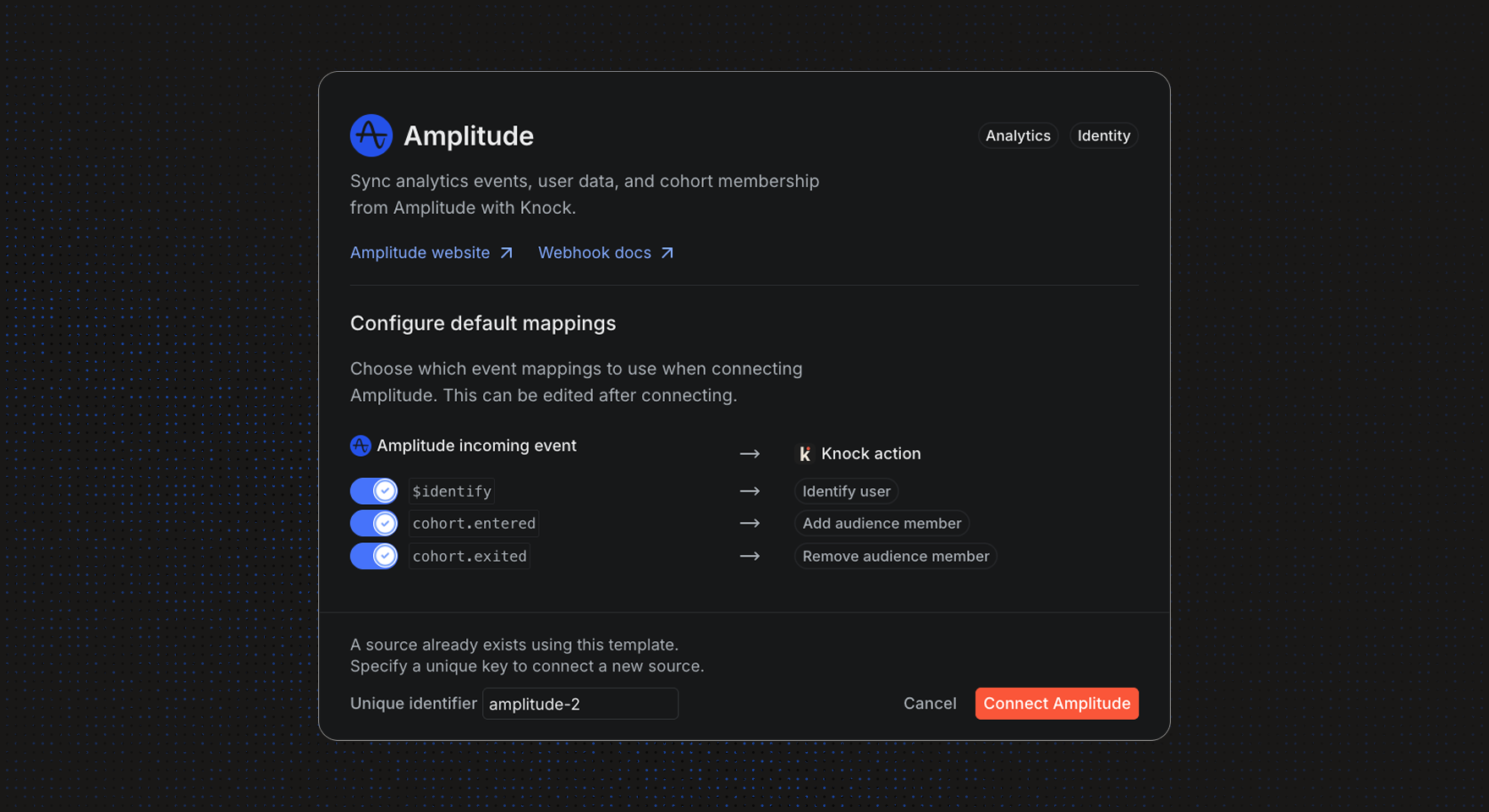
The Amplitude source ships with default action mappings for the events product teams reach for first:
$identify— identify the user in Knock, keyed offuser_idwith a fallback todevice_id.cohort.entered— add users to a Knock audience keyedamplitude-<cohort_id>.cohort.exited— remove users from the matching Knock audience.
Amplitude preserves each product event's event_type, so you can extend the defaults with mappings for the rest of your product lifecycle:
Order Completed— trigger an order confirmation workflow withevent_propertiesas workflow data.Trial Started— identify the user and kick off an onboarding sequence.Feature Used— alert your team in Slack when a power user crosses an engagement threshold.
See the default action mappings section of our docs for the full list and recommended actions.
Get started
The Amplitude data source is available today for all Knock customers. Head to "Platform > Sources" in the dashboard to connect your Amplitude project, or read more in our documentation.