Today we're shipping the wait for event function, a new workflow function that pauses a run until a matching event arrives or a wait window expires. Instead of hard-coding delays or building polling in your application, you can now coordinate messaging with real product activity, directly in Knock.
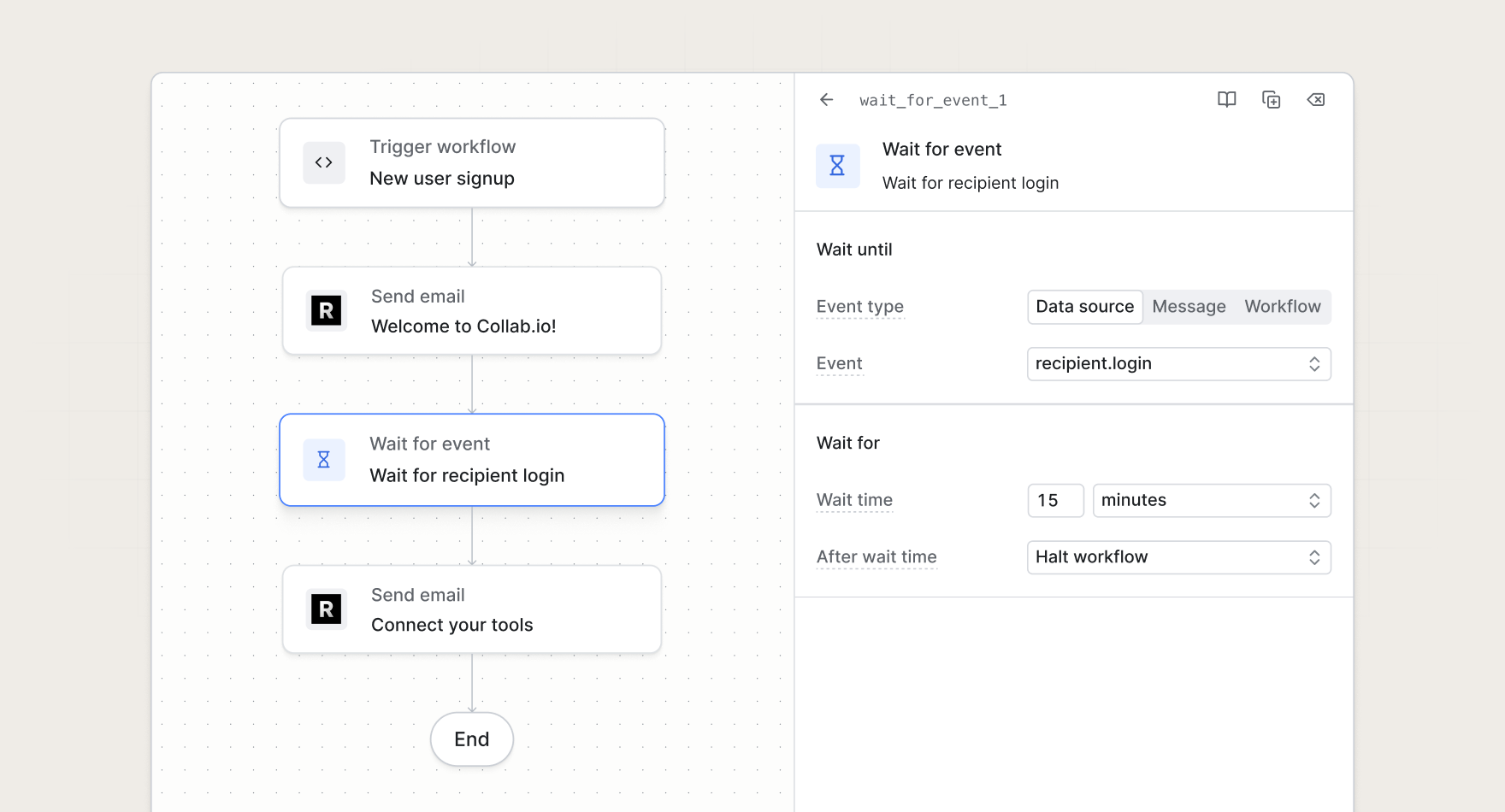
When a workflow reaches a wait for event step, Knock registers a durable wait and holds downstream steps until something meaningful happens. That gives you event-driven notification flows without the state management that usually comes with them.
React to what actually happens
A delay step waits for time to pass. A wait for event step waits for activity, whether that activity comes from an external system, a message your workflow already sent, or a change inside Knock.
Use it when the next message should depend on something that occurs after the run starts: a payment completion, a user opening an email, or a recipient entering an audience. Knock handles the pause, the match, and the resume so your team stays focused on messaging logic instead of infrastructure.
Wait on the signals that matter
The wait for event function supports five event types, so you can tie workflows to the parts of your stack you already use:
- Integration source. Listen for events from connected sources like Stripe, Segment, or a custom webhook—scoped to the workflow recipient when the event includes a user ID.
- Message. React to lifecycle events from a specific workflow, broadcast, or guide, such as delivered, read, seen, or link clicked.
- Workflow. Continue a parent workflow when another workflow starts or completes for the same recipient.
- Audience. Send or adjust messaging when a recipient enters or exits a dynamic audience.
- Recipient. Resume when the current recipient is updated in Knock, with optional match conditions to narrow which changes count.
Match conditions let you filter events before a workflow resumes, and you control what happens on a match versus when the wait times out—continue to the next step or halt the run entirely.
Build smarter notification flows
The wait for event function unlocks patterns that are awkward to express with fixed delays alone:
- Send a reminder only when needed. Start a workflow when a user begins an action, wait for a completion event from your product, and proceed to a follow-up only if that event never arrives.
- Escalate when a message goes unopened. Send an in-app notification, wait for a seen or read event, and fall through to email if engagement does not happen in time.
- Chain workflows together. Trigger a child workflow, then wait for it to complete before the parent workflow continues.
- Respond to audience membership. Change cadence or messaging when a recipient joins or leaves an audience driven by properties rather than manual API calls.
- Branch on the matched payload. Reference whether an event matched and use its data in downstream branch steps to send different messages based on what arrived.
Workflow runs paused at a wait for event step can also be canceled through the workflow cancellation API, the same as runs paused at a delay or batch step.
Get started
The wait for event function is available today for all Knock customers. Add it to a workflow from the step picker in the dashboard, or read more in our documentation.