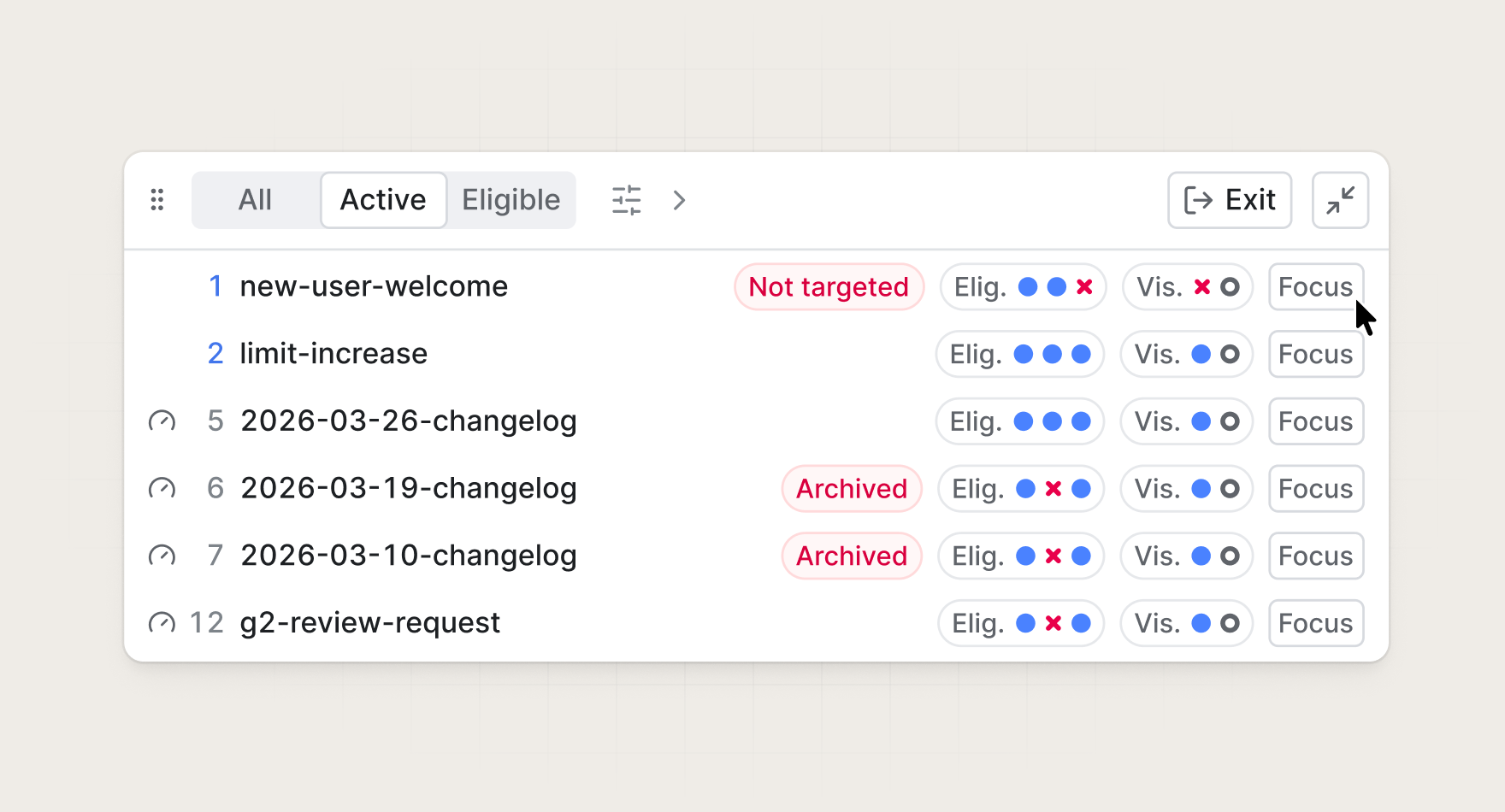
Today we are introducing the guides toolbar, a floating debug panel you can open in your application to gain real-time visibility into your guides.
What it solves
Building in-app messages shouldn't require guessing why they do or don't appear for a given user.
The toolbar closes the gap between configuring an in-app message and confirming it works. Whether you're launching a new onboarding tour, a feature announcement, or a contextual nudge, you can validate the full experience before it reaches a single end user.
How it works
The guides toolbar allows you to:
- See what your users see. Toggle between all guides, active guides, and eligible guides to understand how your targeting rules play out in context. No more guessing whether a guide fired or why it didn't.
- Test in your real product environment. Force any guide to display on the current page so you can preview it exactly as your users will experience it within your actual UI, not a simulation.
- Inspect targeting in real time. View the parameters being evaluated for the current user and page so you can diagnose issues and fine-tune your audience rules with confidence.
Testing best practices
Before launching your guides to users, always test them thoroughly to ensure they work as expected. Focus on these key areas:
- Page targeting. Verify your guides appear on the correct pages by testing different URLs and path patterns in your activation rules.
- User targeting. Confirm your targeting conditions work correctly by testing with users who should and shouldn't see the guide based on your eligibility criteria.
- Engagement tracking events. Interact with your guides and verify that engagement status updates appear as expected in the dashboard (seen, interacted, archived).
- User interactions. Click all links, buttons, and interactive elements to ensure they work as expected and navigate to the correct destinations.
Getting started
The guides toolbar is available today for all Knock customers. For more information, read the documentation.