What this template solves
- Prevents notification fatigue when active discussions generate many replies.
- Keeps users engaged in conversations without overwhelming them.
- Intelligently groups related activity for easier consumption.
- Balances real-time engagement with sustainable notification volume.
When to use this template
Use this template when:
- Your platform supports threaded discussions or comment replies.
- Users participate in multiple conversations simultaneously.
- Popular threads can generate dozens of replies quickly.
- You need to support both power users and casual participants.
- Mobile users need efficient ways to stay updated on conversations.
How it works (step-by-step)
- Trigger. New reply posted to user's comment
- Check active batch. Determine if other replies are already queued for this thread.
- Apply intelligent batching. Group replies by thread and time window. Compile meaningful preview of reply activity.
- Send to low-attention channel. Send an in-app message to maximize visibility if the users is still active.
- Apply delay. Wait for configured time period (e.g., 60 minutes) before escalating.
- Escalate channels. If in-app notification hasn't been read, escalate to out-of-app channel like email.
Best practices
- Thread-aware batching. Batch per conversation thread, not globally. Users need context about which discussions are active.
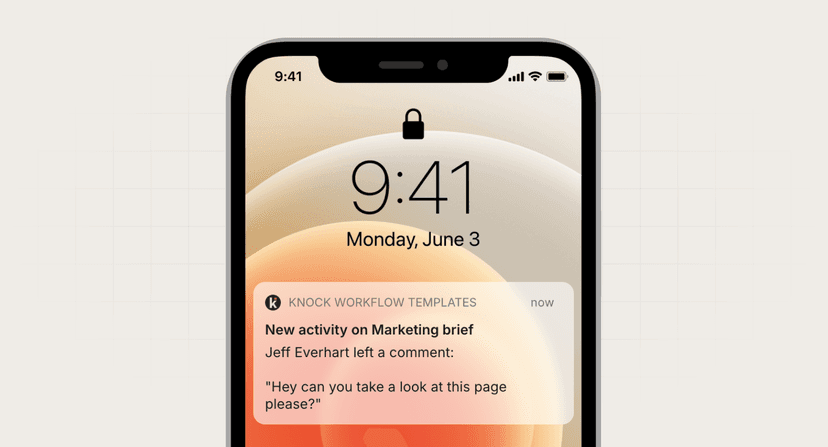
- Smart preview text. Show reply count, unique repliers, and most relevant snippet rather than just "You have new replies."
- First reply urgency. Consider sending first reply immediately to maintain momentum, then batch subsequent replies.
- Preserve @mentions. Even in batches, surface replies that directly mention the user for higher visibility.
Common mistakes to avoid
- Losing conversation context. Always clearly indicate which comment/thread received replies. Include original comment preview for recognition.
- Over-batching active discussions. Very active threads might need shorter batch windows (15-30 min) to maintain engagement flow.
- Ignoring reply importance. Replies from original poster, moderators, or followed users might warrant immediate notification.
- Poor mobile summaries. Mobile users triage notifications quickly. Ensure reply count and thread identity are immediately visible.
FAQ
How long should I batch replies?
Active discussions: 15-30 minutes. Normal threads: 1-2 hours. Older threads: 4-6 hours. Adjust based on typical discussion velocity.
Should I batch replies across different threads?
Generally no. Keep threads separate so users can prioritize which conversations to revisit. Exception: daily digest for very active users.
What about real-time discussion features?
For chat-like features, don't batch. For forum-like features, batching improves experience. Consider the expected response time in your product.
How do I handle replies to old comments?
These often represent renewed interest. Consider sending immediately regardless of batching rules to re-engage users in dormant threads.