Slack channels get noisy fast, especially when every status change, reminder, and update arrives as a new message. Oftentimes, the first Slack alert is just the start of a larger conversation.
Today we're shipping Slack message threading, giving Knock users a way to send follow-up notifications that deliver within a Slack thread.
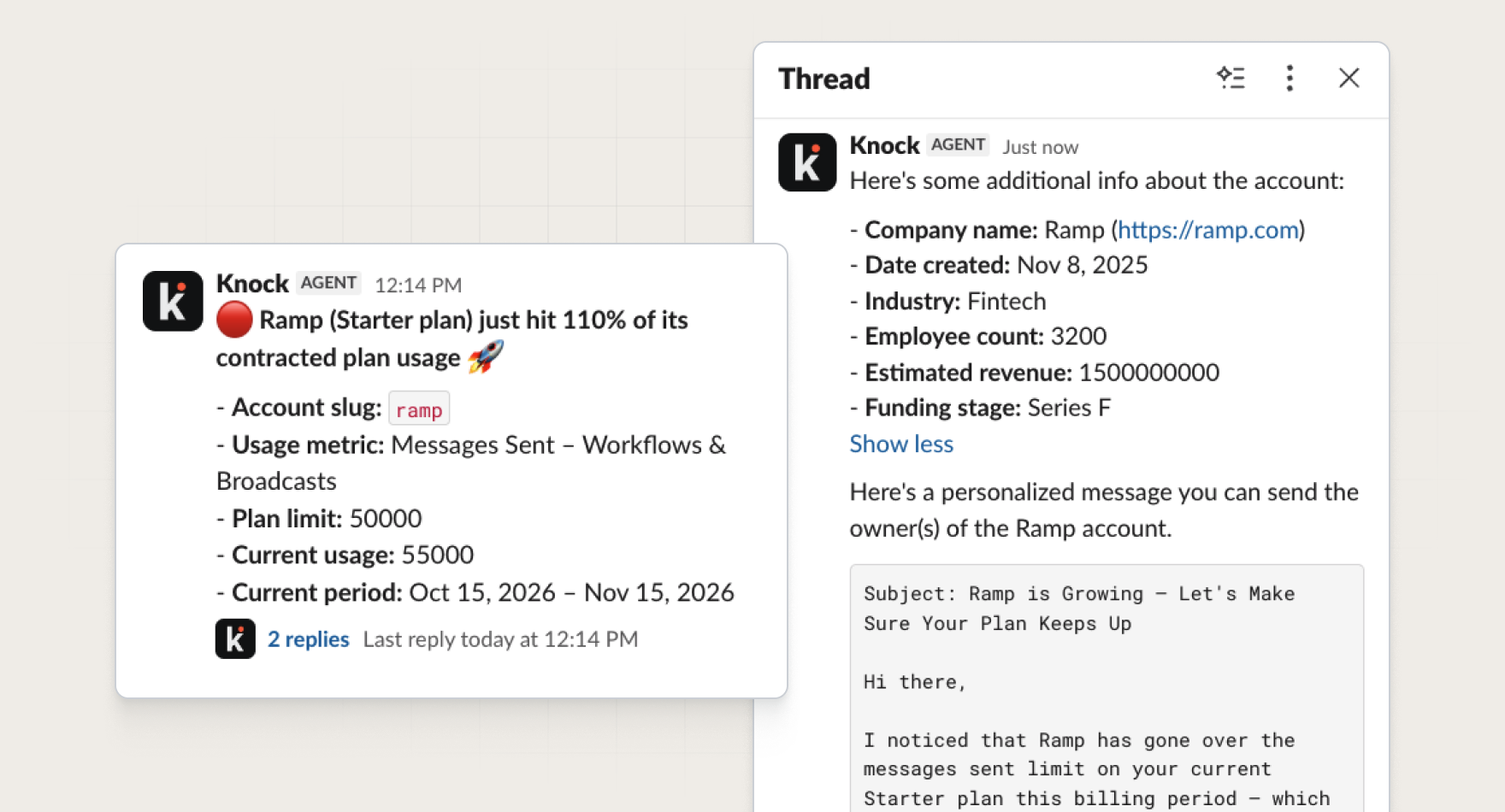
How it works
Slack channels get noisy when every status change, reminder, and completion gets posted as its own message.
Slack message threads group related communications together so the channel stays easier to scan as message volume grows. The original notification becomes the source of truth, with every follow-up tucked underneath it.
To send a Slack message to a thread, add additional Slack channel steps to a Knock workflow and set the message behavior to reply to a previous Slack step. This ensures follow-up notifications land in the original message's thread instead of as new messages in the channel.
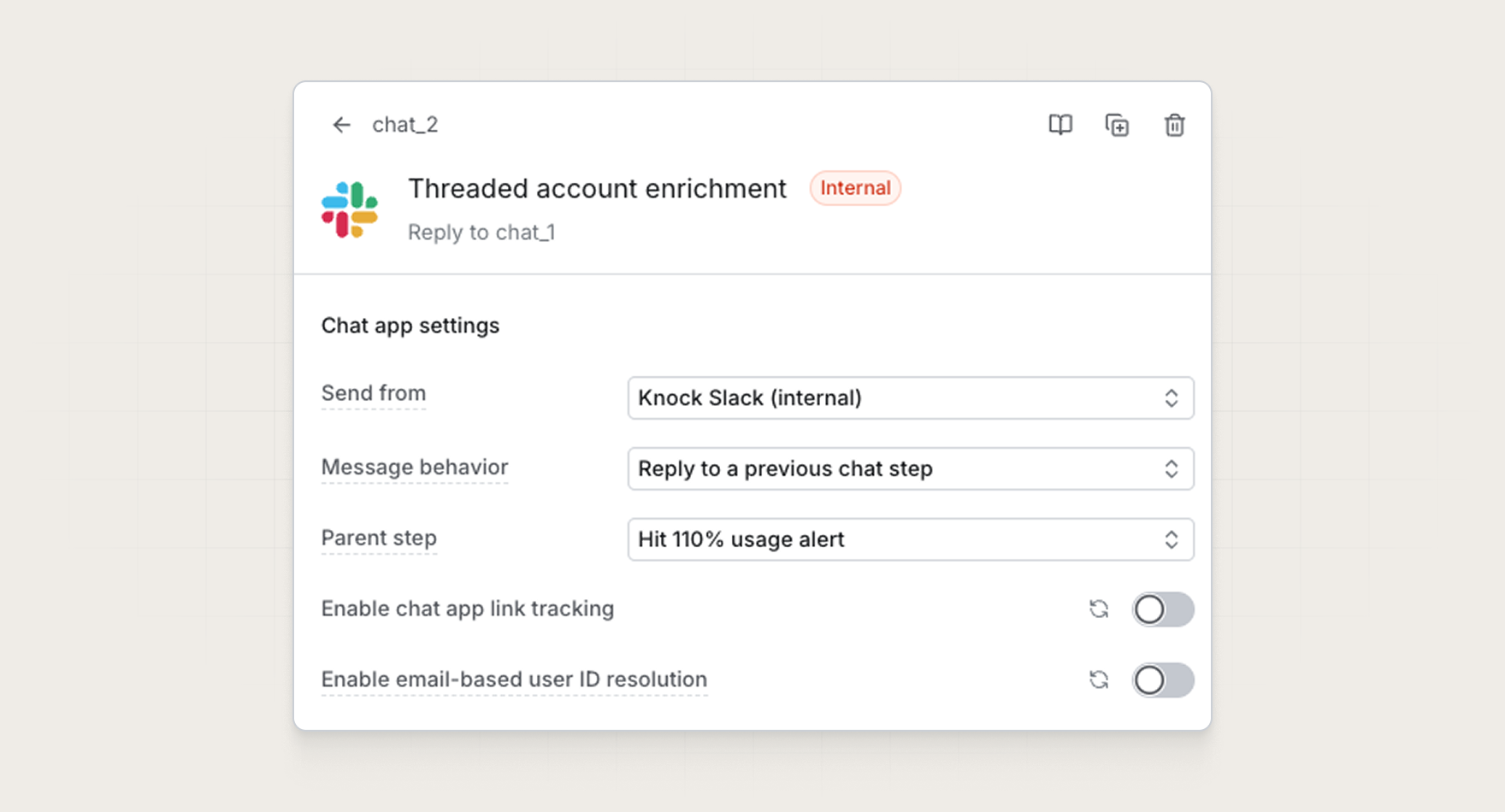
You can model an entire Slack conversation in a single workflow: an opening message, then as many threaded replies as the process needs. Point each follow-up Slack step at the parent message, and Knock attaches the reply to the original thread, including when the parent is still queued or scheduled.
You can also reply to external Slack messages was not created in this workflow run. Later workflows can continue a thread that already exists, whether it came from a previous Knock message or from Slack itself.
Common use cases
Use Slack message threading whenever a first notification is only the start of a conversation:
- Signups. Send an alert when someone signs up for your product, then follow-up with enriched account information and a personalized outreach template.
- Incidents. Post the initial incident to
#incidents, then send status updates, owner assignments, and the all-clear as threaded replies. - Approvals. Send a request for review, then follow up in the same thread when it's approved, rejected, or needs more information.
- Churn risk. Alert an account channel when a customer hits a risk signal, then thread updates as the account recovers or churns.
- Deploys + releases. Announce that a deploy started, then reply with success, failure, or rollback in the same thread.
Get started
Slack message threading is available today for all Knock customers. Try it out today, or read more in our documentation.