Today, we're extending the Knock agent with the ability to answer questions about your account's messaging performance. Ask questions about your messaging workflows, channels, and messages and get immediate insights and visual summaries back, without navigating dashboards or building custom reports.
Ask questions in plain language
Messaging analytics are now conversational. Instead of hunting through views or stitching together metrics by hand, describe what you want to know and the agent handles the rest.
You can ask questions like:
- How many messages did X workflow send this month?
- What's the error rate for X workflow?
- Where are users dropping off in this workflow?
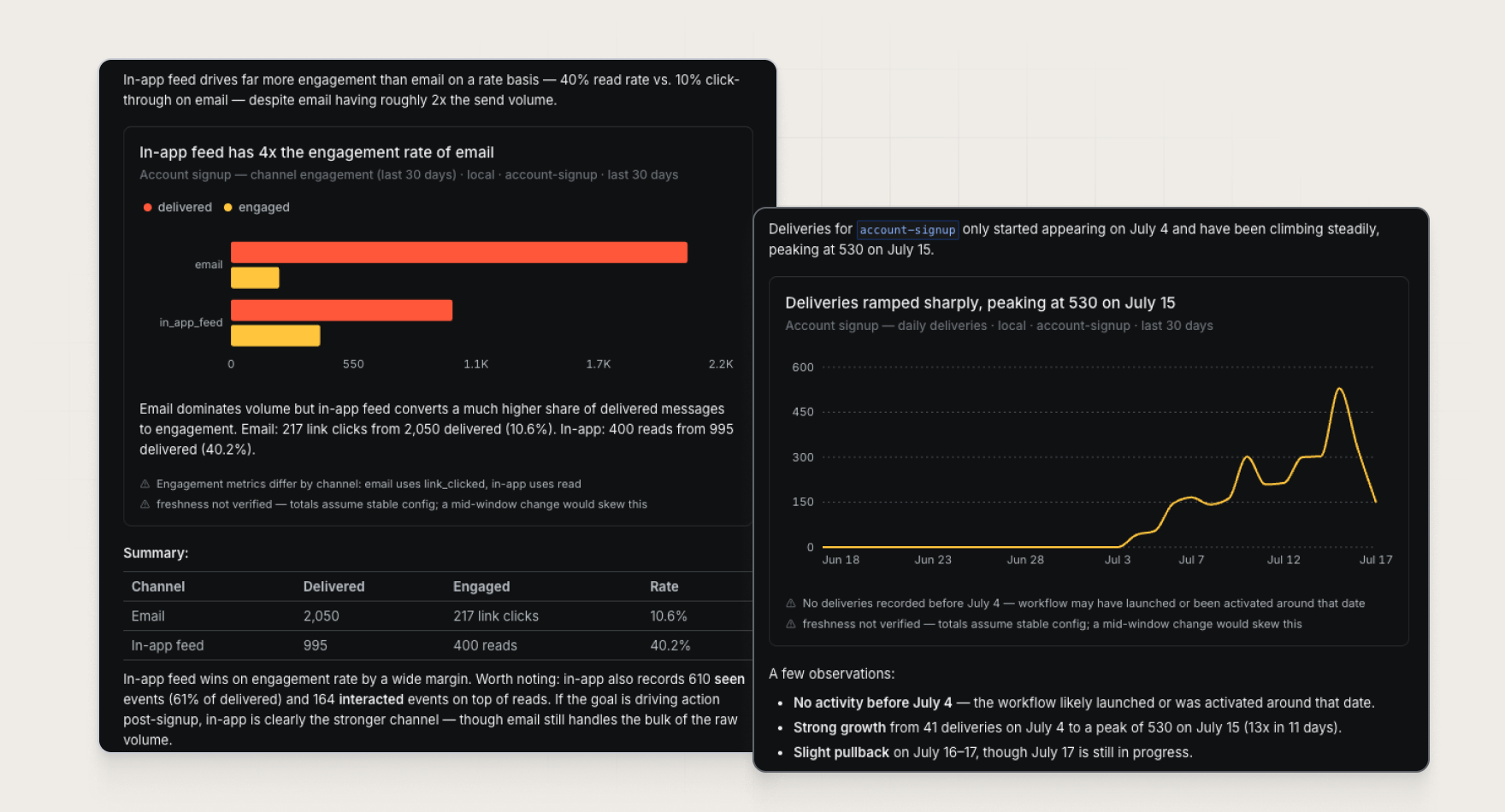
- Which messaging channel is driving the highest engagement?
- How has our delivery volume changed over time?
The agent brings together the numbers and the narrative, so anyone can get a clear read on what's working without needing to understand the underlying analytics schema.
Get insights you can act on
Once prompted, the agent queries your account's messaging data, interprets the results, and returns an answer that's easy to understand and take action on from within a single conversation.
The agent can surface:
- Funnel visualizations across delivery, opens, reads, clicks, and downstream engagement.
- Time-series charts that highlight trends and volume over time.
- Channel comparisons across email, push, in-app feed, Slack, SMS, and more.
- Summary metrics such as sends, deliveries, engagement rates, and error rates.
- Plain-language takeaways that call out bottlenecks, unusual trends, and optimization opportunities.
Real-time data and clear explanations mean you spend less time interpreting charts and more time improving the messages your users receive.
Get started
Analytics are available in the Knock agent today for all Knock customers. Open the Knock agent from anywhere in the dashboard to ask your first question, or read more in our documentation.