What this partial solves
- Builds trust and credibility by incorporating authentic customer voices directly into transactional communications.
- Increases conversion rates on CTAs by providing social proof at key decision moments.
- Creates visual interest in text-heavy emails while maintaining professional appearance.
- Standardizes testimonial formatting ensuring consistent brand presentation across all templates.
When to use this partial
Use this partial when:
- Welcome emails need to reinforce the value proposition with peer validation.
- Upgrade prompts benefit from showing success stories from similar customers.
- Re-engagement campaigns want to remind users why others love your product.
- Trial expiration notices need that extra push to convert to paid plans.
- Feature announcements can showcase real user excitement and results.
How it works
Inputs
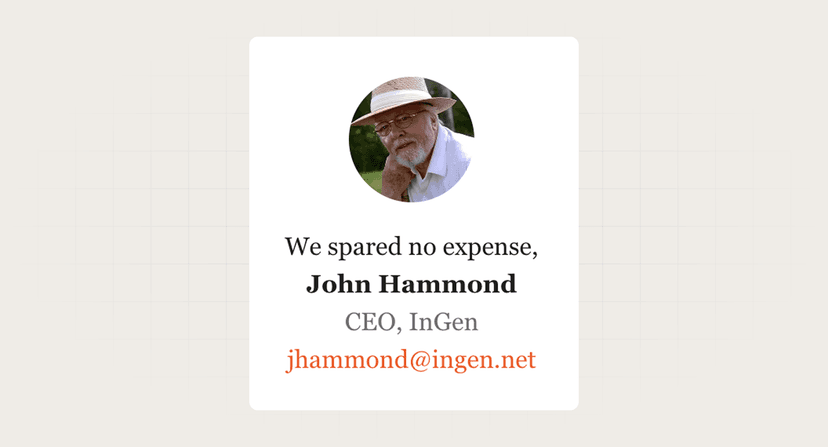
- image_url: High-quality headshot or company logo (string).
- image_alt: Alt text for the image (string).
- quote: The testimonial content (string).
- name: Customer's name (string).
- title: Professional title or role (string).
Behavior
- Validates and sanitizes quote text for email-safe rendering.
- Loads avatar image with intelligent fallback to initials.
- Applies typographic styling with proper quote marks or formatting.
- Ensures responsive layout with avatar and text properly aligned.
- Handles long quotes with appropriate wrapping and spacing.
- Maintains readability across email clients including Outlook.
- Degrades gracefully if images are blocked, showing text testimonial.
Best practices
- Choose quotes that address specific objections. "Saved us 10 hours per week" beats generic "Great product!" Match testimonials to email context.
- Use real photos over stock images. Authenticity matters. Real customer headshots or genuine company logos build more trust than polished stock photos.
- Keep quotes concise and impactful. 2-3 sentences maximum. Focus on specific outcomes or transformative moments rather than lengthy praise.
- Include relevant peer companies. B2B buyers want to see similar companies succeeding. Show recognizable logos when possible, with permission.
Common mistakes to avoid
- Using testimonials out of context. Don't put enterprise testimonials in emails to startups. Match customer profile to recipient segment for relevance.
- Overusing the same testimonials. Rotate through your collection. Seeing the same quote in every email diminishes impact and feels lazy.
- Poor image quality or sizing. Blurry, stretched, or tiny avatars look unprofessional. Require minimum 200x200px images, optimized for email.
- Forgetting attribution. Anonymous quotes lack credibility. Always include name and role at minimum. Company adds more weight for B2B.
FAQ
Should we use customer photos or company logos?
Depends on your audience. B2B often prefers company logos for recognition. B2C connects better with human faces. Test both approaches.
How do we handle testimonials from former customers?
If they've churned, retire the quote. Using testimonials from ex-customers is misleading and could backfire if prospects research them.
What's the ideal quote length for email?
40-60 words maximum. Longer quotes lose impact and readers skim. Pull the most compelling sentence rather than including everything.
Can we edit customer testimonials for length?
Minor edits for clarity are okay with permission. Use [...] to show omissions. Never change meaning or add emphasis that wasn't there originally.