Today we're introducing the experiment function in Knock to enable A/B testing, gradual rollouts, and more.
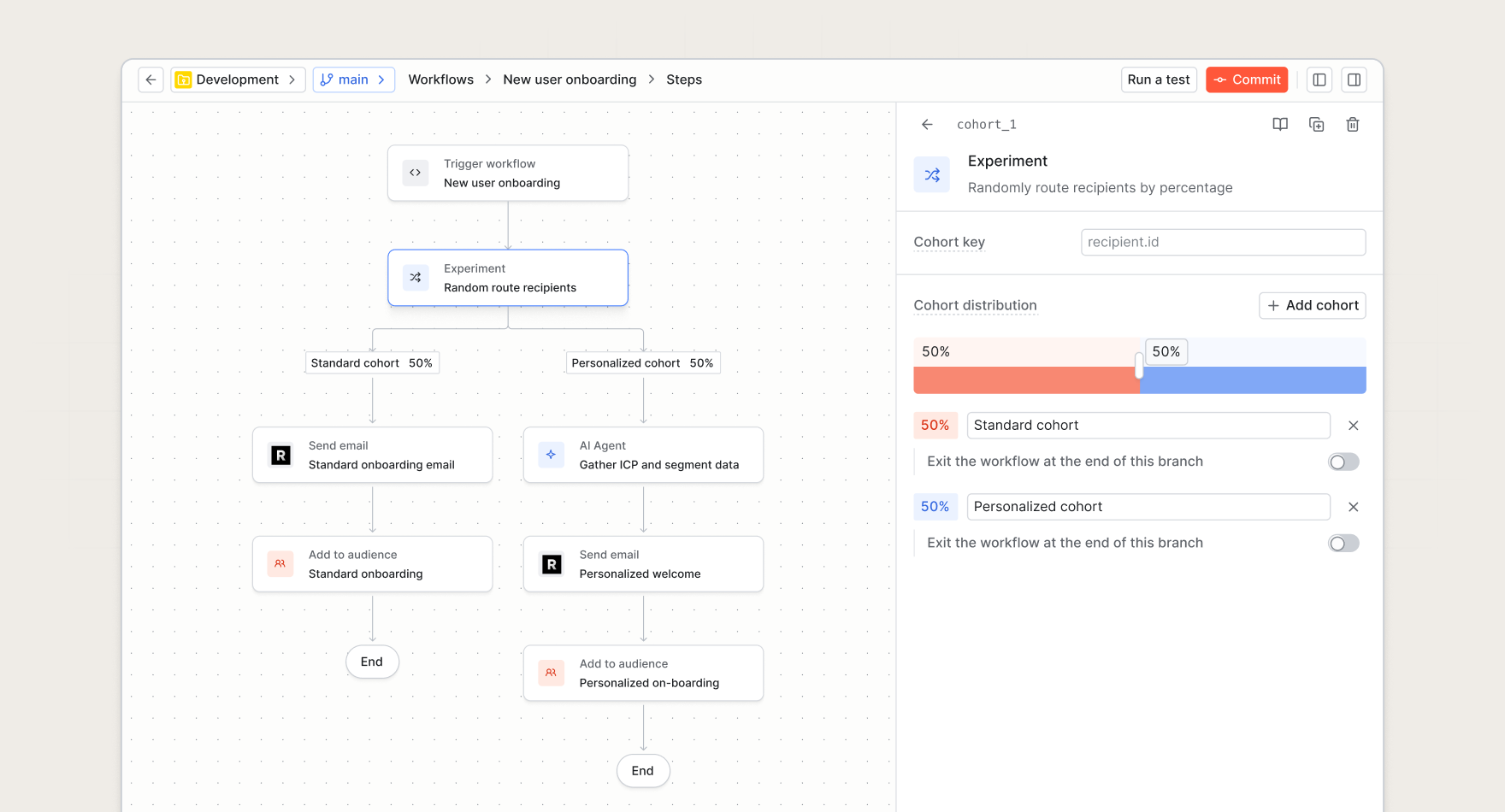
The experiment function enables you to split recipients into randomized cohorts within your workflows or broadcasts, routing each recipient down a specific branch based on a percentage-based distribution.
This is useful for:
- A/B testing. Split recipients into two or more cohorts and compare the results of each. You can test different message formatting, copy, images, and more to measure what performs better.
- Gradual rollouts. Roll out a new notification strategy to a small percentage of recipients before expanding to all users.
- Channel experimentation. Test messaging through different channels in parallel to see which drive more engagement from your audience.
How it works
When a workflow executes an experiment function, Knock randomly assigns the recipient to a cohort using the following process:
- Configuring cohorts. Each experiment starts with two cohorts by default, split 50/50. You can adjust the percentage distribution to control the distribution of recipients or add additional cohorts. The total across all cohorts must equal 100%.
- Branch execution. Once assigned, the recipient proceeds through the steps defined in their cohort's branch.
- Observability. Like all Knock workflow functions, you get full visibility into execution through our debugging tools. You'll be able to see exactly which experiment cohort was chosen for each recipient.
The experiment function also supports custom cohort keys. You can assign a cohort key to produce a deterministic assignment, such as ensuring all users within the same tenant follow the same branch. The cohort key defaults to the recipient ID.
Note: Dedicated experiment analytics are coming soon.
The experiment function is available now for all customers. Read more in the documentation.